Gemini 3 представляє нове покоління AI, здатне розуміти складні запити та генерувати готовий до виробництва код за кілька секунд. Щоб протестувати його справжні можливості, я вирішив створити практичний та універсальний інструмент без написання жодного рядка коду: налаштовуваний дизайнер меню кафе, який можна експортувати в PDF і помістити в один файл HTML. Результат? Вражаючий.
Тестування Gemini 3: створіть меню кафе за допомогою AI
Google випустив нову версію Gemini: версія 3. Цей новий повтор обіцяє нові можливості міркування та генерування коду. Давайте подивимось на це простим тестом.
Перший крок: почніть
Перейдіть на Gemini і виберіть "міркування" у командному рядку.
Для цього тесту я вирішив створити інструмент для швидкого і легкого створення меню кафе/бара, експортованого в PDF.
Початковий запит
Ось запит, який було використано:
Create a single-file HTML tool for designing a coffee shop/bar menu.
FEATURES REQUIRED:
Design Themes (user selectable):
- Modern (minimalist, clean lines)
- Nature (earthy, organic feel)
- Futuristic (sleek, bold)
- Zen (calm, balanced, minimal)
Customization:
- Editable menu items with names and prices
- Add/remove menu categories (Coffee, Tea, Food, Desserts, etc.)
- Text color selection from a palette
- Theme color customization (primary accent color)
- Option to add item descriptions
Export:
- PDF export in standard sizes: A4, A3, A5, Letter, Half Letter
- Print-optimized layout
- Maintain theme and colors in PDF
Visual Elements:
- Include an illustration/icon for each theme
- Display theme preview on the left panel
- Live preview of menu as user edits
Technical:
- Single HTML file (no dependencies, or use CDN links)
- Use TailwindCSS via CDN
- Include html2pdf library for PDF export
- Fully responsive design
- Save/load functionality (LocalStorage for user data)
STRUCTURE:
- Left panel: Controls (theme, colors, export options)
- Right panel: Live menu preview
- Simple, intuitive UI
Make it production-ready, professional, and easy for non-developers to use.
Відповідь Gemini 3
Після кількох хвилин роздумів Gemini відповідає:
Here is a complete, single-file HTML solution. It uses TailwindCSS for styling, FontAwesome for icons, and html2pdf.js for generating the PDF. It requires no installation—just save the code below as an .html file (e.g., menu-maker.html) and open it in your browser.
За якою слідує код. Я беру код і копіюю його в файл HTML, який відкриваю в браузері.
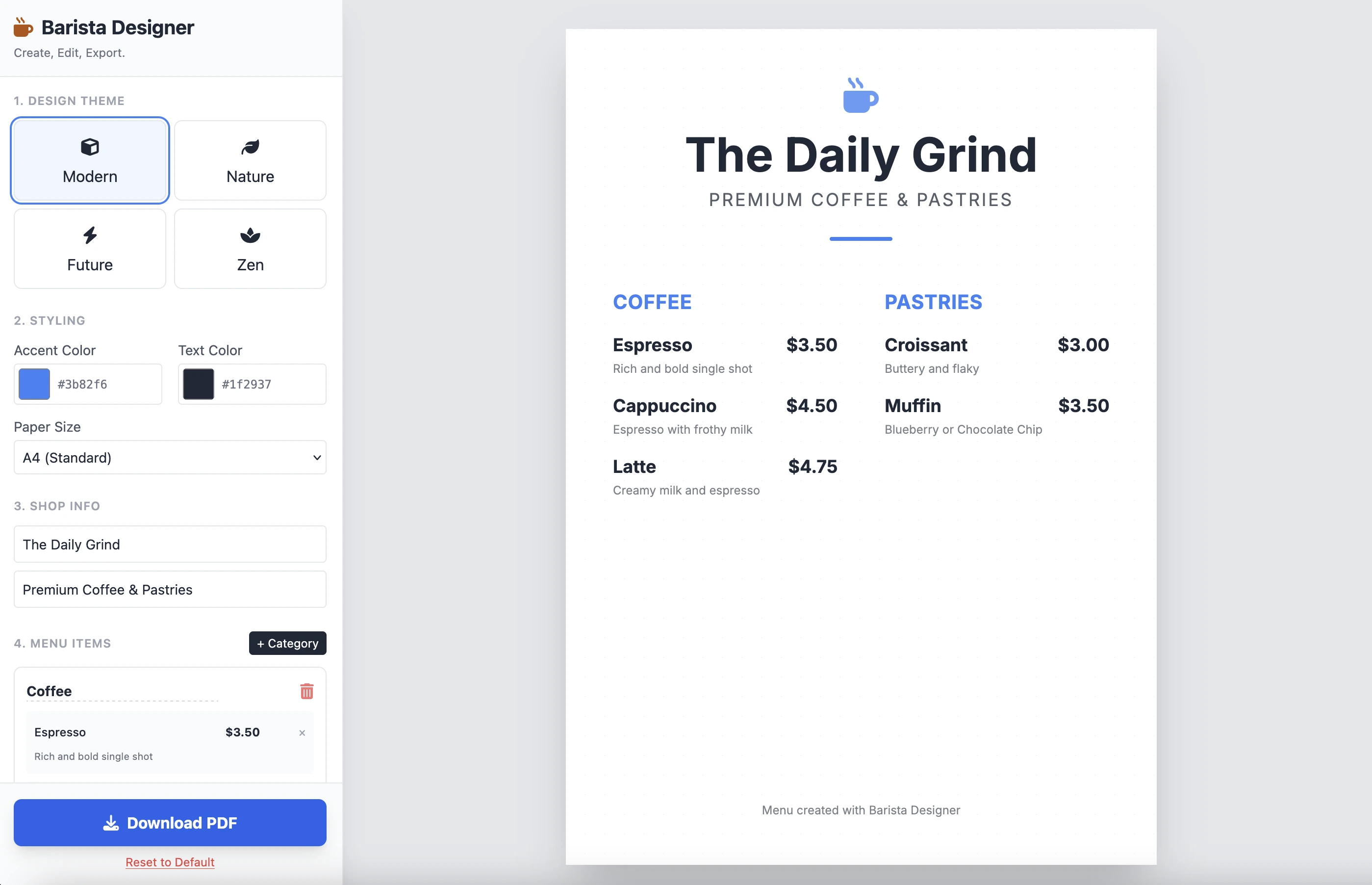
А ось результат:
Це чисто і функціонально. Результат однієї підказки вражає. Я не розміщую код тут, тому що він досить довгий. Запрошую вас протестувати це самостійно.
Поліпшення
Є кілька практичних поліпшень, які потрібно внести:
- Зробити розмір елементів модифікованим
- Зробити текст внизу меню модифікованим
Давайте йти далі та завершимо це другою підказкою:
Add the following features to the coffee menu designer:
DRAG & DROP:
- Drag categories to reorder them
- Drag menu items within categories to reorder them
- Visual feedback during drag (highlight, shadow, cursor)
- Smooth animations
SIZE CUSTOMIZATION:
- Adjustable font size for:
- Category titles (slider: 16px - 32px)
- Menu item names (slider: 12px - 24px)
- Menu item prices (slider: 10px - 20px)
- Menu item descriptions (slider: 10px - 16px)
- Show current size value next to each slider
- Live preview as user adjusts
SPACING CUSTOMIZATION (bonus):
- Gap between menu items (slider: 8px - 24px)
- Gap between categories (slider: 16px - 32px)
FOOTER TEXT CUSTOMIZATION:
- Editable footer text (currently "Menu created with Barista Designer")
- Text input field to modify footer content
- Option to toggle footer visibility (show/hide checkbox)
- Footer font size slider (8px - 16px)
- Footer text color selection from palette
UX IMPROVEMENTS:
- Add "Reset sizes to default" button
- Add icons for drag handles (≡ icon)
- Group font size controls in a dedicated panel
- Disable text selection during dragging
- Add delete buttons for categories and items
PERSISTENCE:
- Save all size settings and footer text to LocalStorage
- Load them when user reopens the tool
Keep the single-file HTML structure and maintain all existing features (themes, colors, PDF export).
Поліпшена відповідь
Після кількох хвилин роздумів ось відповідь Gemini:
Here is the updated, single-file solution.
I have added SortableJS (via CDN) to handle robust drag-and-drop functionality, implemented CSS Variables for high-performance live font resizing, and added the requested Footer and Spacing controls.
За якою слідує код. Я копіюю та вставляю код до нового файлу HTML та відкриваю його в браузері.
Ось результат:
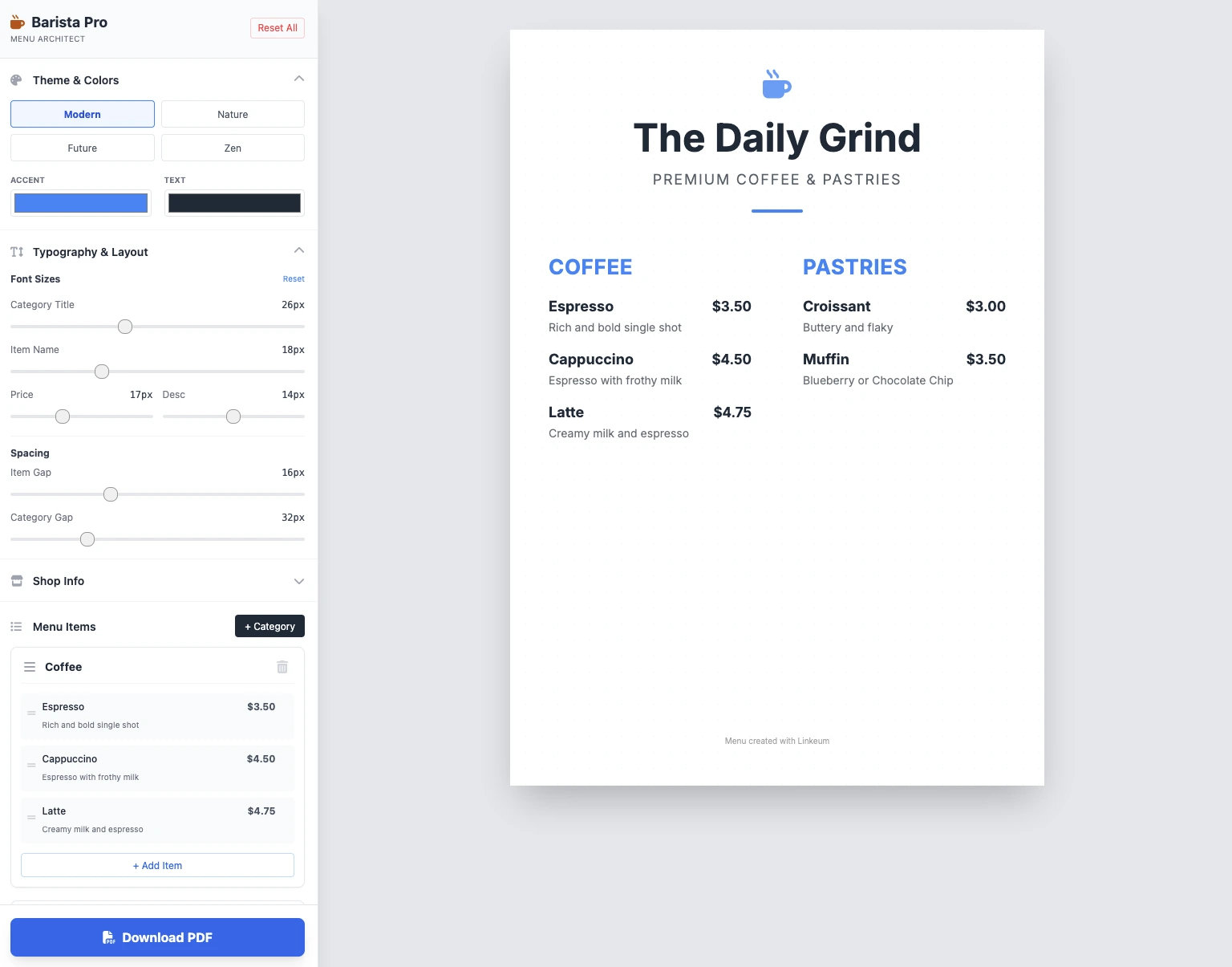
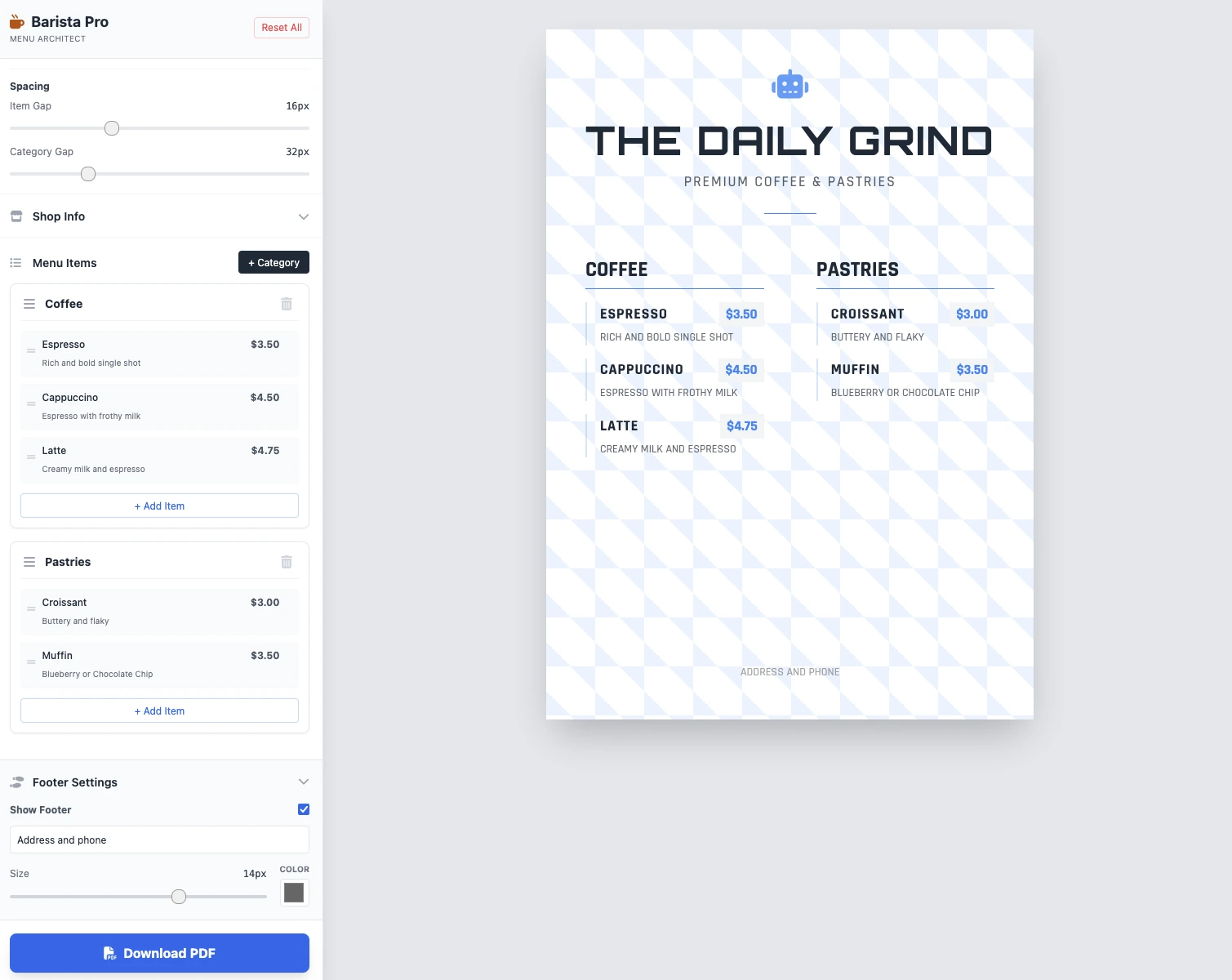
Розміри модифіковані, все працює, збереження PDF працює. Результат у 2 підказках чистий, функціональний та вражаючий!
Ключові моменти
Поки що немає коментарів. Будьте першим, хто відреагує!




Увійдіть щоб долучитися до обговорення.