يمثل Gemini 3 جيلاً جديداً من الذكاء الاصطناعي القادر على فهم الطلبات المعقدة وتوليد رمز جاهز للإنتاج في ثوانٍ. لاختبار قدراته الحقيقية، قررت إنشاء أداة عملية وعالمية بدون كتابة سطر واحد من الكود: مصمم قائمة قهوة قابل للتخصيص، وقابل للتصدير إلى PDF، ويناسب ملف HTML واحد. النتيجة؟ مثيرة للإعجاب.
اختبار Gemini 3: إنشاء قائمة قهوة باستخدام الذكاء الاصطناعي
أطلقت Google نسخة جديدة من Gemini: النسخة 3. هذه الحقبة الجديدة تعد بقدرات استدلالية جديدة وتوليد الكود. دعنا نرى هذا من خلال اختبار بسيط.
الخطوة الأولى: ابدأ
توجه إلى Gemini واختر "الاستدلال" في موجه الأوامر.
لهذا الاختبار، قررت إنشاء أداة لإنشاء قائمة قهوة/حانة قابلة للتصدير إلى PDF بسرعة وسهولة.
الطلب الأولي
إليك الطلب المستخدم:
Create a single-file HTML tool for designing a coffee shop/bar menu.
FEATURES REQUIRED:
Design Themes (user selectable):
- Modern (minimalist, clean lines)
- Nature (earthy, organic feel)
- Futuristic (sleek, bold)
- Zen (calm, balanced, minimal)
Customization:
- Editable menu items with names and prices
- Add/remove menu categories (Coffee, Tea, Food, Desserts, etc.)
- Text color selection from a palette
- Theme color customization (primary accent color)
- Option to add item descriptions
Export:
- PDF export in standard sizes: A4, A3, A5, Letter, Half Letter
- Print-optimized layout
- Maintain theme and colors in PDF
Visual Elements:
- Include an illustration/icon for each theme
- Display theme preview on the left panel
- Live preview of menu as user edits
Technical:
- Single HTML file (no dependencies, or use CDN links)
- Use TailwindCSS via CDN
- Include html2pdf library for PDF export
- Fully responsive design
- Save/load functionality (LocalStorage for user data)
STRUCTURE:
- Left panel: Controls (theme, colors, export options)
- Right panel: Live menu preview
- Simple, intuitive UI
Make it production-ready, professional, and easy for non-developers to use.
رد Gemini 3
بعد بضع دقائق من التفكير، يرد Gemini:
Here is a complete, single-file HTML solution. It uses TailwindCSS for styling, FontAwesome for icons, and html2pdf.js for generating the PDF. It requires no installation—just save the code below as an .html file (e.g., menu-maker.html) and open it in your browser.
متبوعا بالكود. أأخذ الكود وأنسخه في ملف HTML وأفتحه في متصفحي.
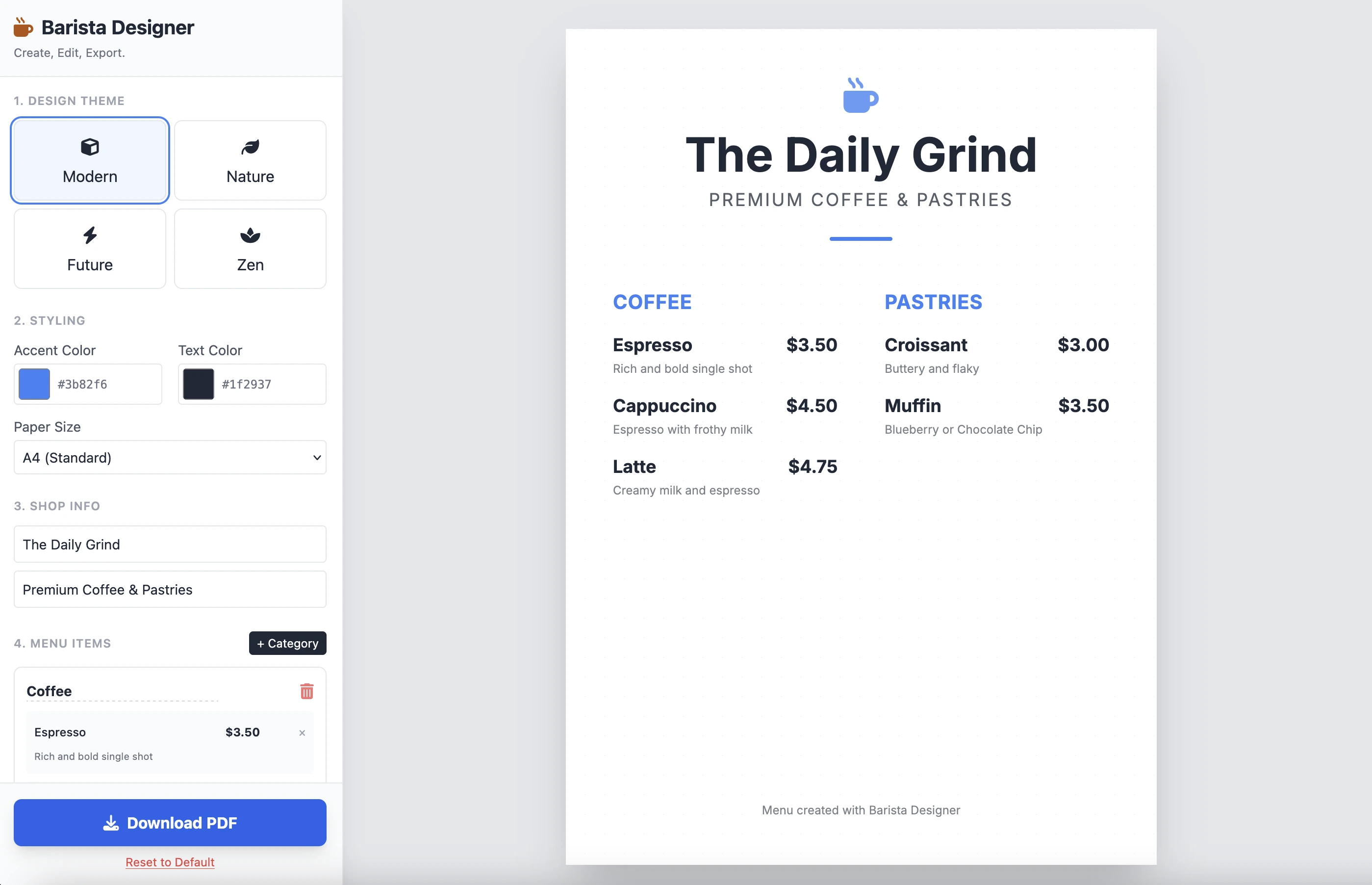
وهنا هو النتيجة:
إنها نظيفة وعملية. النتيجة لطلب واحد مثيرة للإعجاب. لن أضع الكود هنا لأنه طويل جدا. أدعوك لاختباره بنفسك.
التحسينات
هناك بعض التحسينات العملية التي يجب القيام بها:
- جعل حجم العناصر قابل للتعديل
- جعل النص في أسفل القائمة قابل للتعديل
دعنا ننتقل أبعد وننجز هذا الطلب الثاني:
Add the following features to the coffee menu designer:
DRAG & DROP:
- Drag categories to reorder them
- Drag menu items within categories to reorder them
- Visual feedback during drag (highlight, shadow, cursor)
- Smooth animations
SIZE CUSTOMIZATION:
- Adjustable font size for:
- Category titles (slider: 16px - 32px)
- Menu item names (slider: 12px - 24px)
- Menu item prices (slider: 10px - 20px)
- Menu item descriptions (slider: 10px - 16px)
- Show current size value next to each slider
- Live preview as user adjusts
SPACING CUSTOMIZATION (bonus):
- Gap between menu items (slider: 8px - 24px)
- Gap between categories (slider: 16px - 32px)
FOOTER TEXT CUSTOMIZATION:
- Editable footer text (currently "Menu created with Barista Designer")
- Text input field to modify footer content
- Option to toggle footer visibility (show/hide checkbox)
- Footer font size slider (8px - 16px)
- Footer text color selection from palette
UX IMPROVEMENTS:
- Add "Reset sizes to default" button
- Add icons for drag handles (≡ icon)
- Group font size controls in a dedicated panel
- Disable text selection during dragging
- Add delete buttons for categories and items
PERSISTENCE:
- Save all size settings and footer text to LocalStorage
- Load them when user reopens the tool
Keep the single-file HTML structure and maintain all existing features (themes, colors, PDF export).
الرد المحسّن
بعد بضع دقائق من الاستدلال، هو رد Gemini:
Here is the updated, single-file solution.
I have added SortableJS (via CDN) to handle robust drag-and-drop functionality, implemented CSS Variables for high-performance live font resizing, and added the requested Footer and Spacing controls.
متبوعا بالكود. أنسخ والصق الكود في ملف HTML جديد وأفتحه في متصفحي.
فيما يلي النتيجة:
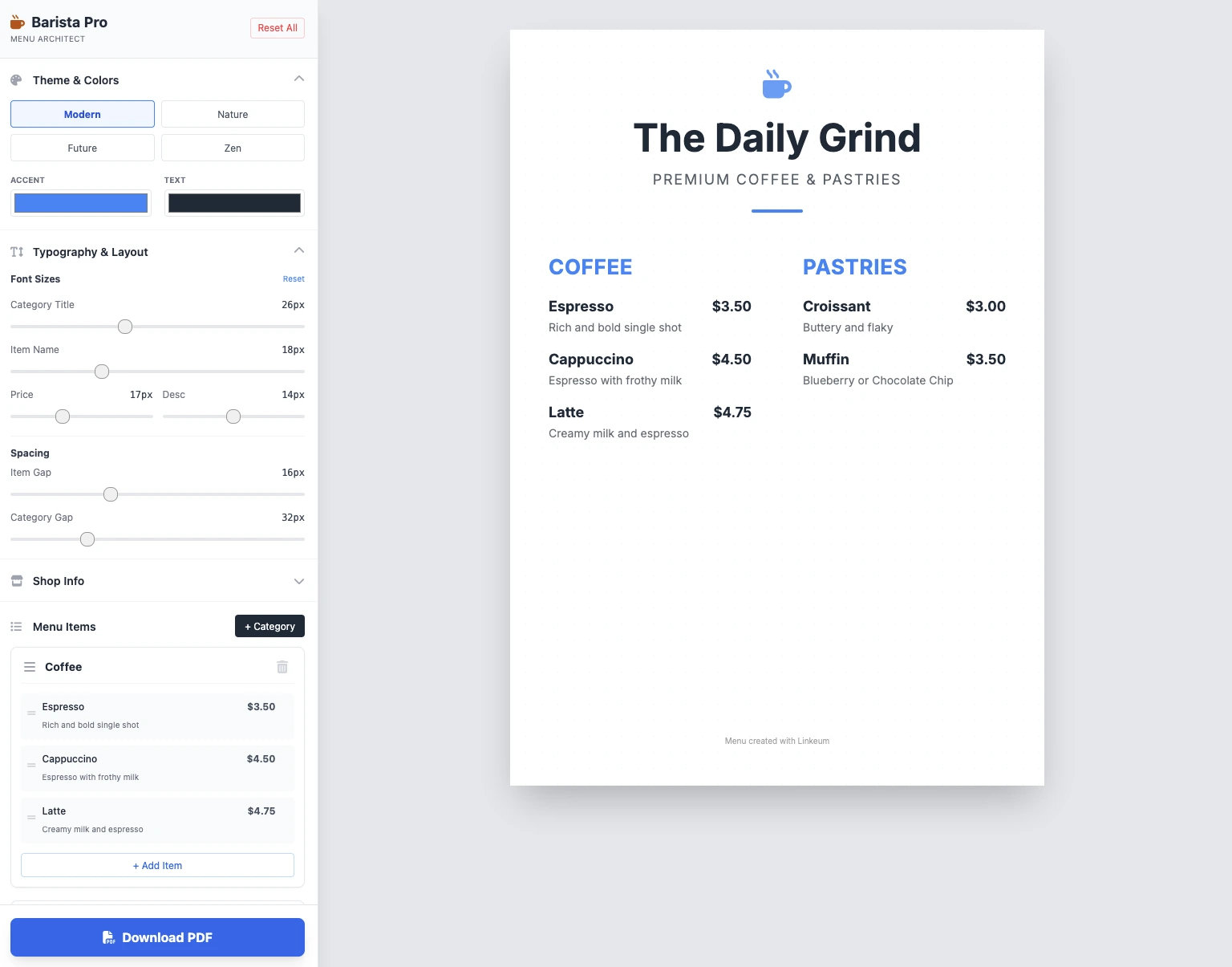
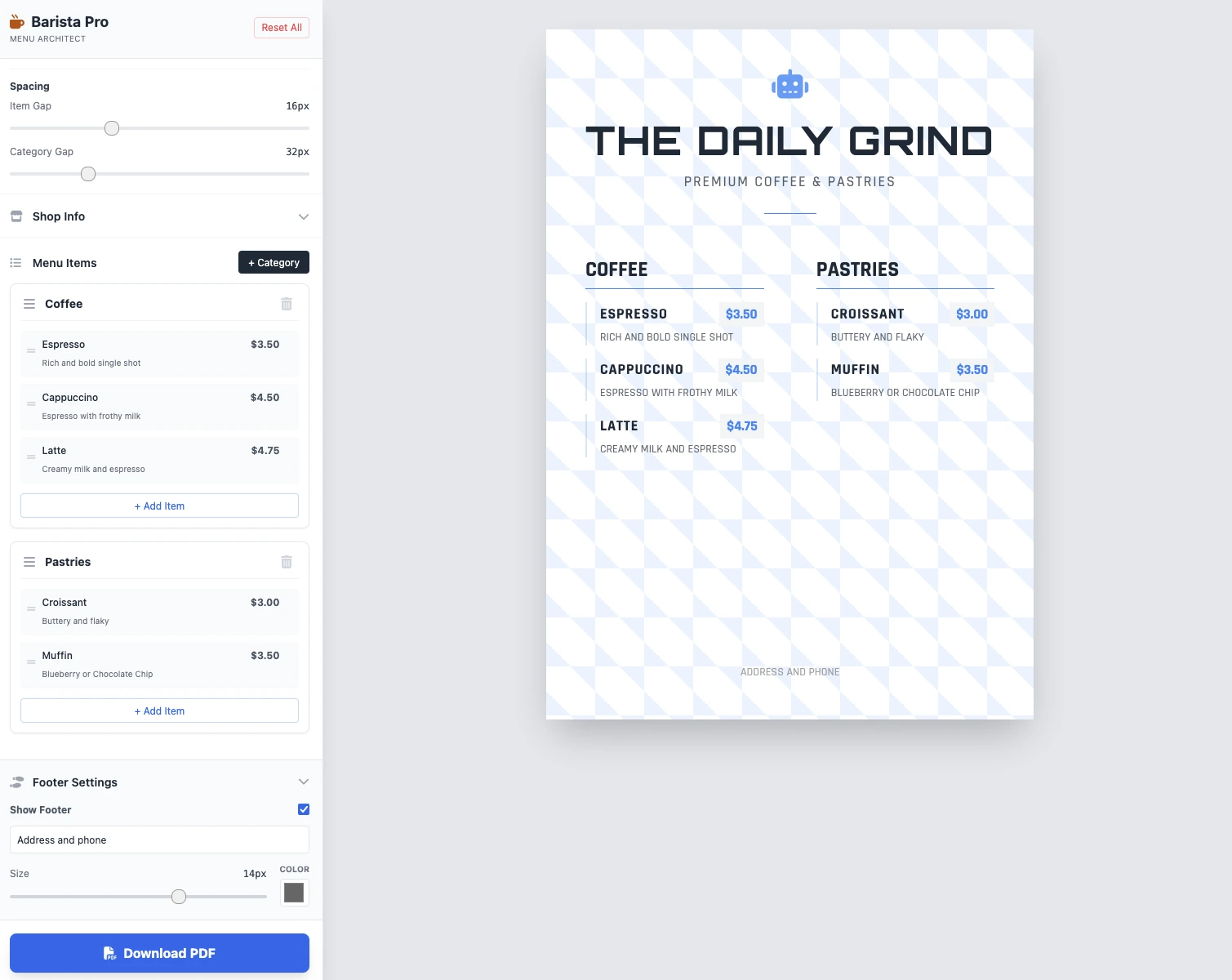
الأحجام قابلة للتعديل، كل شيء يعمل وحفظ PDF يعمل. النتيجة في طلبين نظيفة وعملية ومثيرة للإعجاب!
النقاط الرئيسية
لا توجد تعليقات بعد. كن أول من يعلّق!




سجّل الدخول للمشاركة في النقاش.