Gemini 3 представлява ново поколение AI, способно да разбира сложни заявки и да генерира код готов за производство в няколко секунди. За да тестваме неговите истински възможности, решихме да създадем практичен и универсален инструмент без писане на един ред код: настраиваем дизайнер на меню на кафене, експортируем в PDF и който се поддържа в един HTML файл. Резултатът? Впечатляващ.
Тестване на Gemini 3: създайте меню на кафене с AI
Google издаде нова версия на Gemini: версия 3. Тази нова итерация обещава нови способности за разсъждение и генериране на код. Нека видим това с един прост тест.
Първа стъпка: начало
Отидете на Gemini и изберете "разсъждение" в командния ред.
За този тест реших да създам инструмент за бързо и лесно създаване на меню на кафене/бар, експортиран в PDF.
Начална подсказка
Ето подсказката, която беше използвана:
Create a single-file HTML tool for designing a coffee shop/bar menu.
FEATURES REQUIRED:
Design Themes (user selectable):
- Modern (minimalist, clean lines)
- Nature (earthy, organic feel)
- Futuristic (sleek, bold)
- Zen (calm, balanced, minimal)
Customization:
- Editable menu items with names and prices
- Add/remove menu categories (Coffee, Tea, Food, Desserts, etc.)
- Text color selection from a palette
- Theme color customization (primary accent color)
- Option to add item descriptions
Export:
- PDF export in standard sizes: A4, A3, A5, Letter, Half Letter
- Print-optimized layout
- Maintain theme and colors in PDF
Visual Elements:
- Include an illustration/icon for each theme
- Display theme preview on the left panel
- Live preview of menu as user edits
Technical:
- Single HTML file (no dependencies, or use CDN links)
- Use TailwindCSS via CDN
- Include html2pdf library for PDF export
- Fully responsive design
- Save/load functionality (LocalStorage for user data)
STRUCTURE:
- Left panel: Controls (theme, colors, export options)
- Right panel: Live menu preview
- Simple, intuitive UI
Make it production-ready, professional, and easy for non-developers to use.
Отговор на Gemini 3
След няколко минути размисъл, Gemini отговаря:
Here is a complete, single-file HTML solution. It uses TailwindCSS for styling, FontAwesome for icons, and html2pdf.js for generating the PDF. It requires no installation—just save the code below as an .html file (e.g., menu-maker.html) and open it in your browser.
Последван от кода. Взимам кода и го копирам в HTML файл, който отварям в браузъра си.
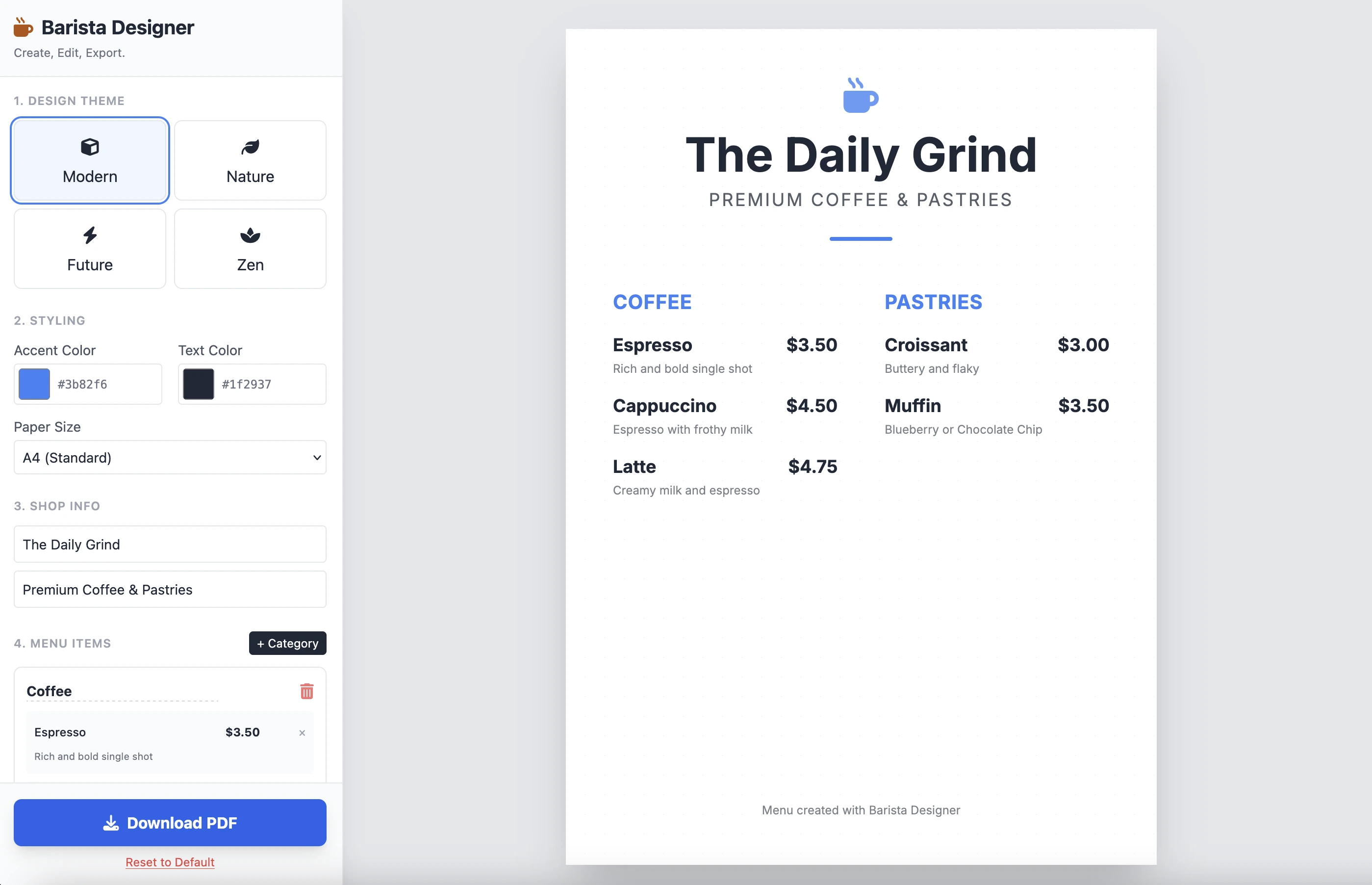
И ето резултатът:
Е чист и функционален. Резултатът от една подсказка е впечатляващ. Не поставям кода тук, защото е доста дълъг. Приканвам ви да го тестирате сами.
Подобрения
Има няколко практически подобрения, които трябва да се направят:
- Направете размера на елементите редактируем
- Направете текста в долната част на менюто редактируем
Нека продължим и завършим това с тази втора подсказка:
Add the following features to the coffee menu designer:
DRAG & DROP:
- Drag categories to reorder them
- Drag menu items within categories to reorder them
- Visual feedback during drag (highlight, shadow, cursor)
- Smooth animations
SIZE CUSTOMIZATION:
- Adjustable font size for:
- Category titles (slider: 16px - 32px)
- Menu item names (slider: 12px - 24px)
- Menu item prices (slider: 10px - 20px)
- Menu item descriptions (slider: 10px - 16px)
- Show current size value next to each slider
- Live preview as user adjusts
SPACING CUSTOMIZATION (bonus):
- Gap between menu items (slider: 8px - 24px)
- Gap between categories (slider: 16px - 32px)
FOOTER TEXT CUSTOMIZATION:
- Editable footer text (currently "Menu created with Barista Designer")
- Text input field to modify footer content
- Option to toggle footer visibility (show/hide checkbox)
- Footer font size slider (8px - 16px)
- Footer text color selection from palette
UX IMPROVEMENTS:
- Add "Reset sizes to default" button
- Add icons for drag handles (≡ icon)
- Group font size controls in a dedicated panel
- Disable text selection during dragging
- Add delete buttons for categories and items
PERSISTENCE:
- Save all size settings and footer text to LocalStorage
- Load them when user reopens the tool
Keep the single-file HTML structure and maintain all existing features (themes, colors, PDF export).
Подобреният отговор
След няколко минути размисъл, ето отговорът на Gemini:
Here is the updated, single-file solution.
I have added SortableJS (via CDN) to handle robust drag-and-drop functionality, implemented CSS Variables for high-performance live font resizing, and added the requested Footer and Spacing controls.
Последван от кода. Копирам и вставам кода в нов HTML файл и го отварям в браузъра си.
Ето резултатът:
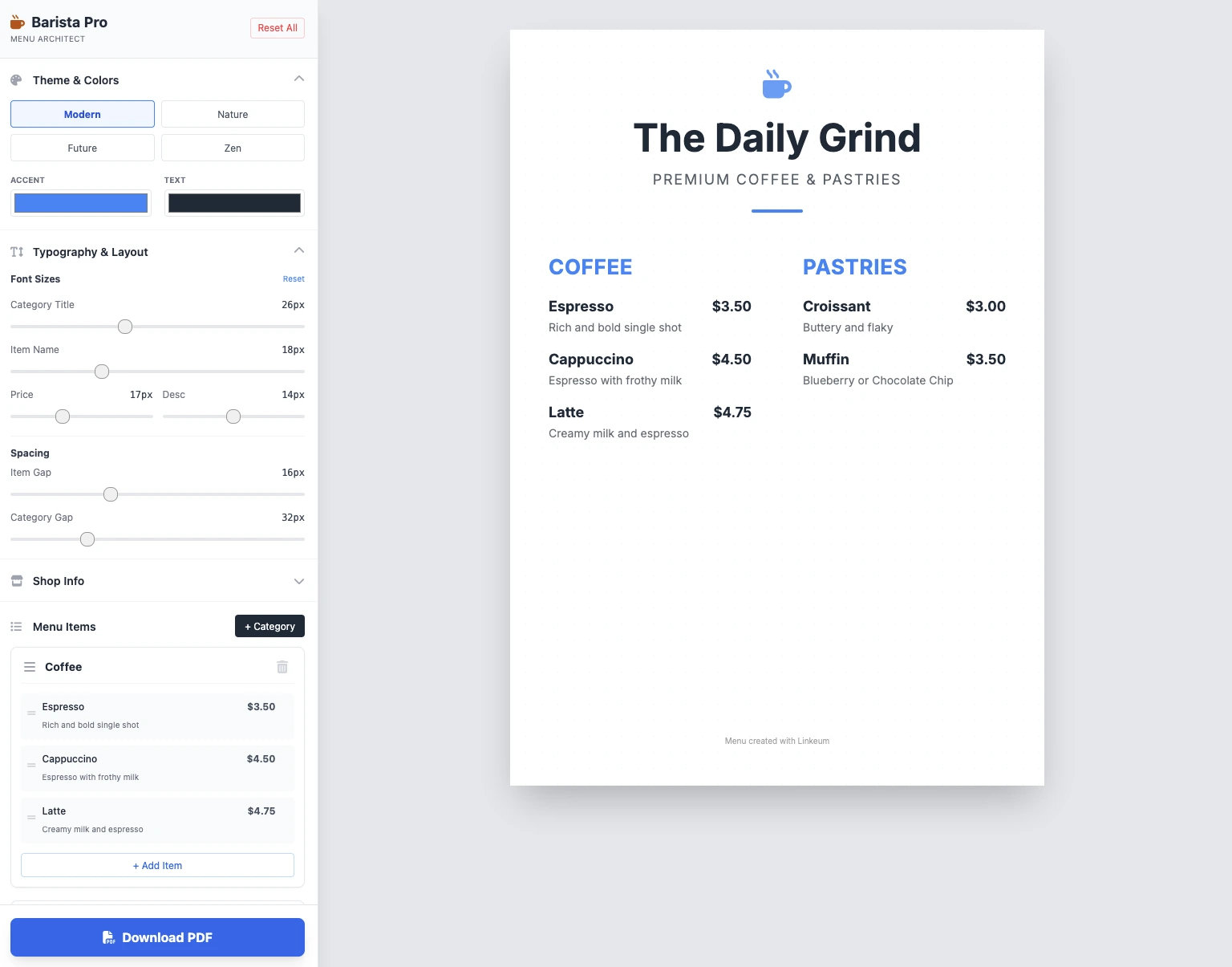
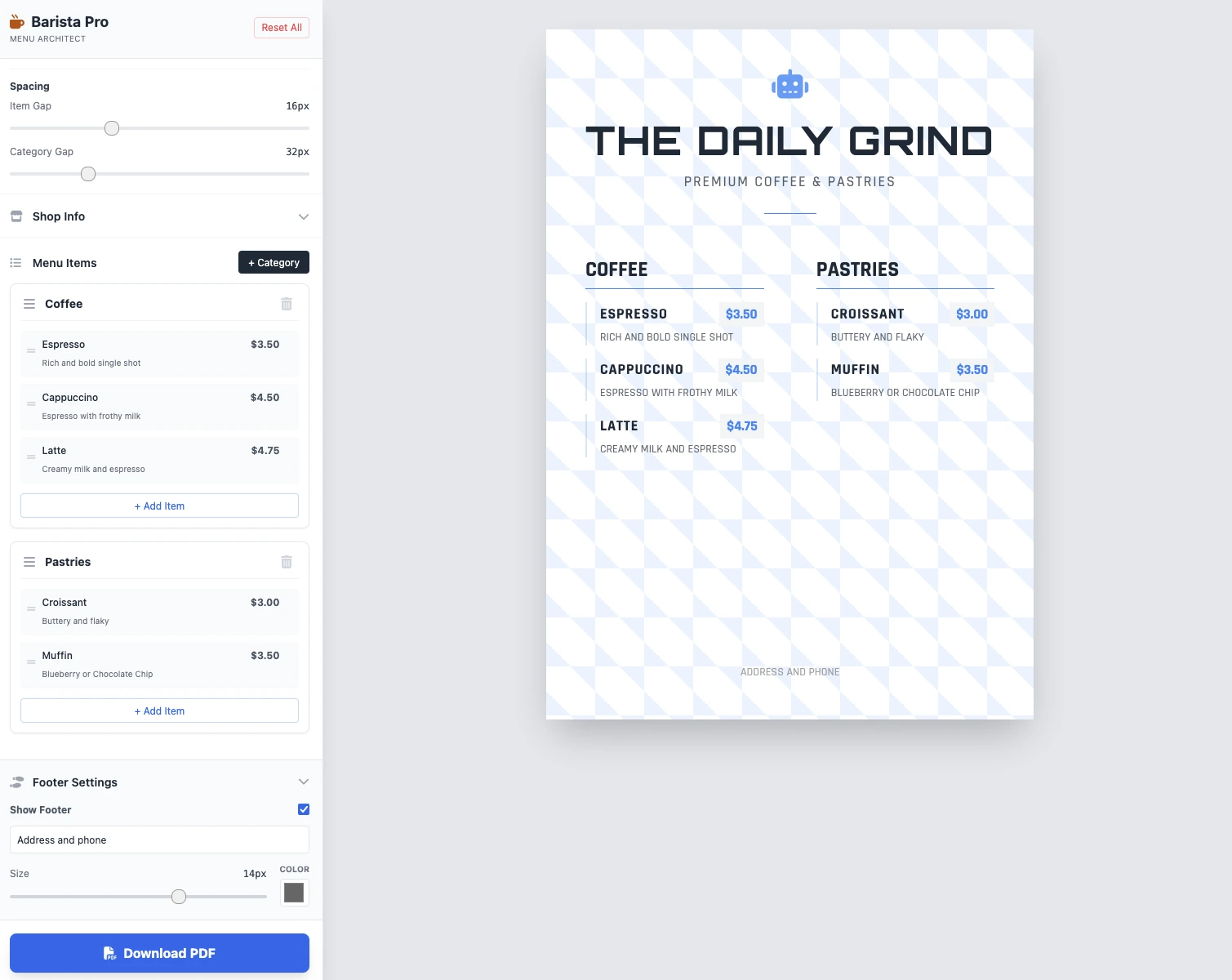
Размерите са редактируеми, всичко работи и PDF запазването работи. Резултатът в 2 подсказки е чист, функционален и впечатляващ!
Ключови изводи
Все още няма коментари. Бъдете първият, който реагира!




Влезте за да участвате в дискусията.