Gemini 3 mewakili generasi baru AI yang mampu memahami permintaan kompleks dan menghasilkan kode siap produksi dalam hitungan detik. Untuk menguji kemampuan sebenarnya, saya memutuskan membuat alat praktis dan universal tanpa menulis satu baris kode: perancang menu kafe yang dapat disesuaikan, dapat diekspor ke PDF, dan sesuai dalam satu file HTML. Hasilnya? Mengesankan.
Menguji Gemini 3: membuat menu kafe dengan AI
Google telah merilis versi baru Gemini: versi 3. Iterasi baru ini menjanjikan kemampuan penalaran baru dan generasi kode. Mari kita lihat ini dengan tes sederhana.
Langkah pertama: mulai
Buka Gemini dan pilih "penalaran" di prompt perintah.
Untuk tes ini, saya memutuskan untuk membuat alat untuk membuat menu kafe/bar yang dapat diekspor ke PDF dengan cepat dan mudah.
Prompt awal
Berikut adalah prompt yang digunakan:
Create a single-file HTML tool for designing a coffee shop/bar menu.
FEATURES REQUIRED:
Design Themes (user selectable):
- Modern (minimalist, clean lines)
- Nature (earthy, organic feel)
- Futuristic (sleek, bold)
- Zen (calm, balanced, minimal)
Customization:
- Editable menu items with names and prices
- Add/remove menu categories (Coffee, Tea, Food, Desserts, etc.)
- Text color selection from a palette
- Theme color customization (primary accent color)
- Option to add item descriptions
Export:
- PDF export in standard sizes: A4, A3, A5, Letter, Half Letter
- Print-optimized layout
- Maintain theme and colors in PDF
Visual Elements:
- Include an illustration/icon for each theme
- Display theme preview on the left panel
- Live preview of menu as user edits
Technical:
- Single HTML file (no dependencies, or use CDN links)
- Use TailwindCSS via CDN
- Include html2pdf library for PDF export
- Fully responsive design
- Save/load functionality (LocalStorage for user data)
STRUCTURE:
- Left panel: Controls (theme, colors, export options)
- Right panel: Live menu preview
- Simple, intuitive UI
Make it production-ready, professional, and easy for non-developers to use.
Respons Gemini 3
Setelah beberapa menit berpikir, Gemini merespons:
Here is a complete, single-file HTML solution. It uses TailwindCSS for styling, FontAwesome for icons, and html2pdf.js for generating the PDF. It requires no installation—just save the code below as an .html file (e.g., menu-maker.html) and open it in your browser.
Diikuti dengan kode. Saya mengambil kode dan menyalinnya ke file HTML yang saya buka di browser.
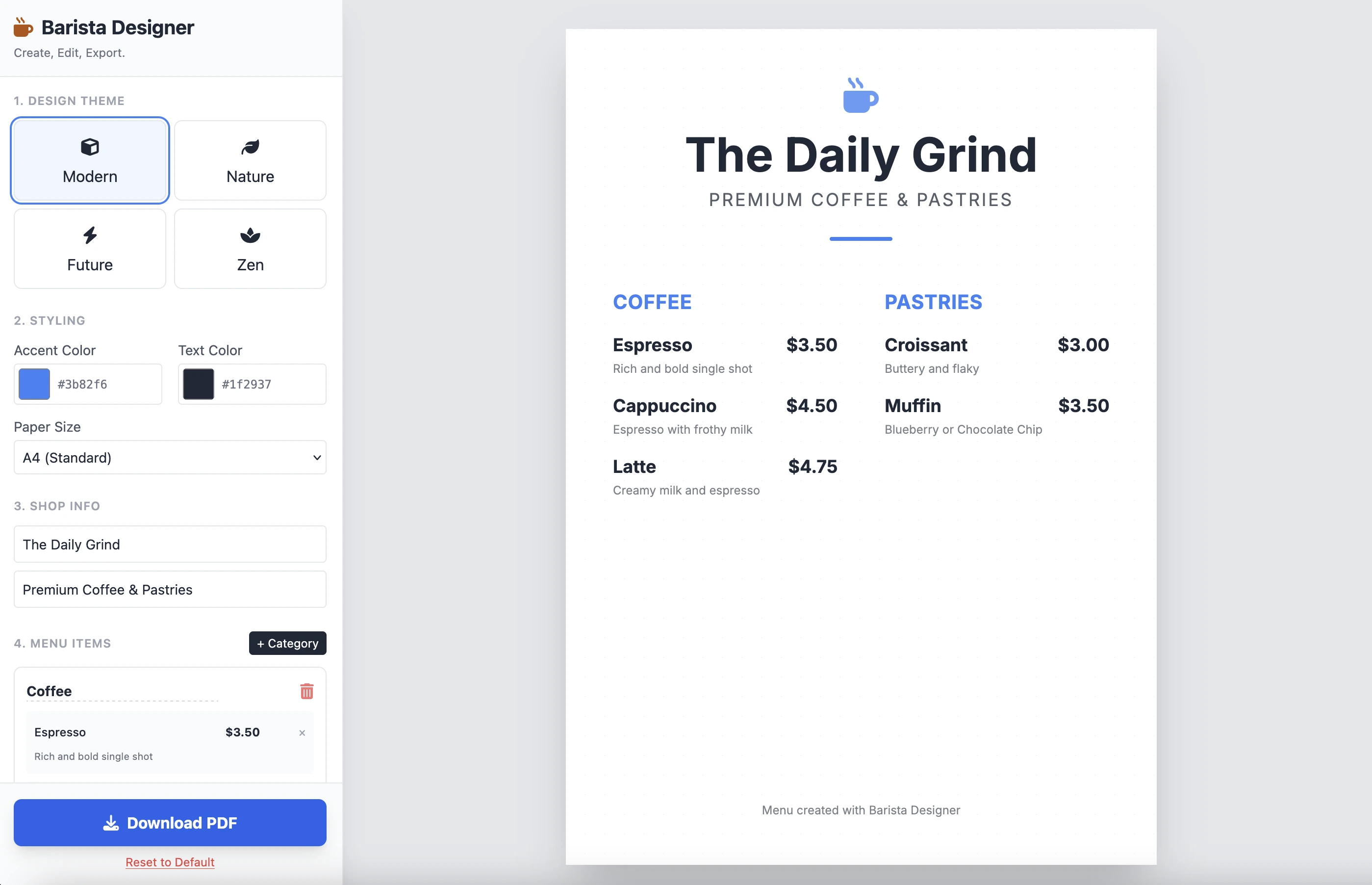
Dan inilah hasilnya:
Ini bersih dan fungsional. Hasil dari satu prompt saja sangat mengesankan. Saya tidak menempatkan kode di sini karena cukup panjang. Saya mengundang Anda untuk mengujinya sendiri.
Perbaikan
Ada beberapa perbaikan praktis yang harus dilakukan:
- Membuat ukuran elemen dapat dimodifikasi
- Membuat teks di bagian bawah menu dapat dimodifikasi
Mari kita lanjutkan dan selesaikan dengan prompt kedua ini:
Add the following features to the coffee menu designer:
DRAG & DROP:
- Drag categories to reorder them
- Drag menu items within categories to reorder them
- Visual feedback during drag (highlight, shadow, cursor)
- Smooth animations
SIZE CUSTOMIZATION:
- Adjustable font size for:
- Category titles (slider: 16px - 32px)
- Menu item names (slider: 12px - 24px)
- Menu item prices (slider: 10px - 20px)
- Menu item descriptions (slider: 10px - 16px)
- Show current size value next to each slider
- Live preview as user adjusts
SPACING CUSTOMIZATION (bonus):
- Gap between menu items (slider: 8px - 24px)
- Gap between categories (slider: 16px - 32px)
FOOTER TEXT CUSTOMIZATION:
- Editable footer text (currently "Menu created with Barista Designer")
- Text input field to modify footer content
- Option to toggle footer visibility (show/hide checkbox)
- Footer font size slider (8px - 16px)
- Footer text color selection from palette
UX IMPROVEMENTS:
- Add "Reset sizes to default" button
- Add icons for drag handles (≡ icon)
- Group font size controls in a dedicated panel
- Disable text selection during dragging
- Add delete buttons for categories and items
PERSISTENCE:
- Save all size settings and footer text to LocalStorage
- Load them when user reopens the tool
Keep the single-file HTML structure and maintain all existing features (themes, colors, PDF export).
Respons yang ditingkatkan
Setelah beberapa menit bernalar, inilah respons Gemini:
Here is the updated, single-file solution.
I have added SortableJS (via CDN) to handle robust drag-and-drop functionality, implemented CSS Variables for high-performance live font resizing, and added the requested Footer and Spacing controls.
Diikuti dengan kode. Saya menyalin dan menempel kode ke file HTML baru dan membukanya di browser.
Di bawah ini adalah hasilnya:
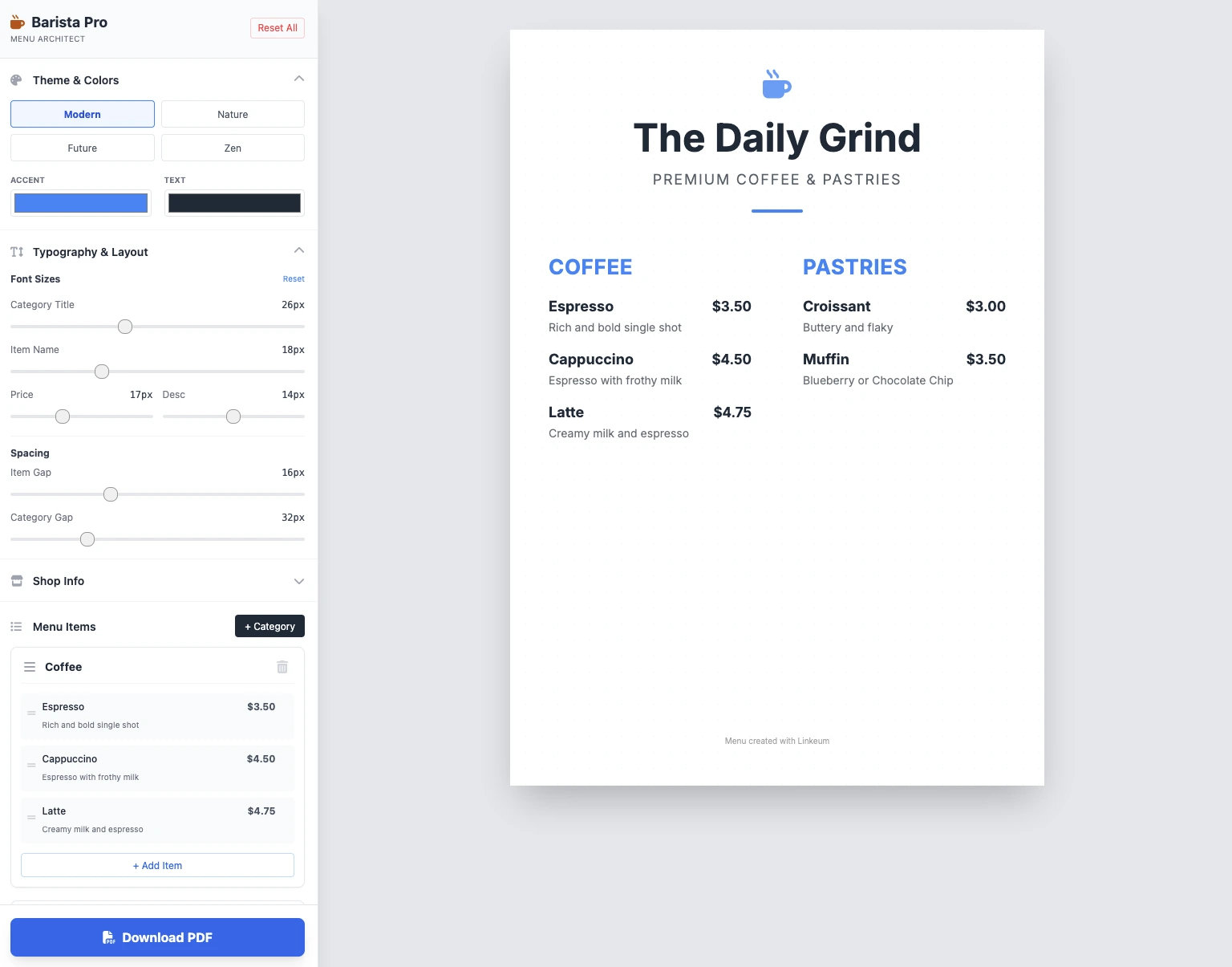
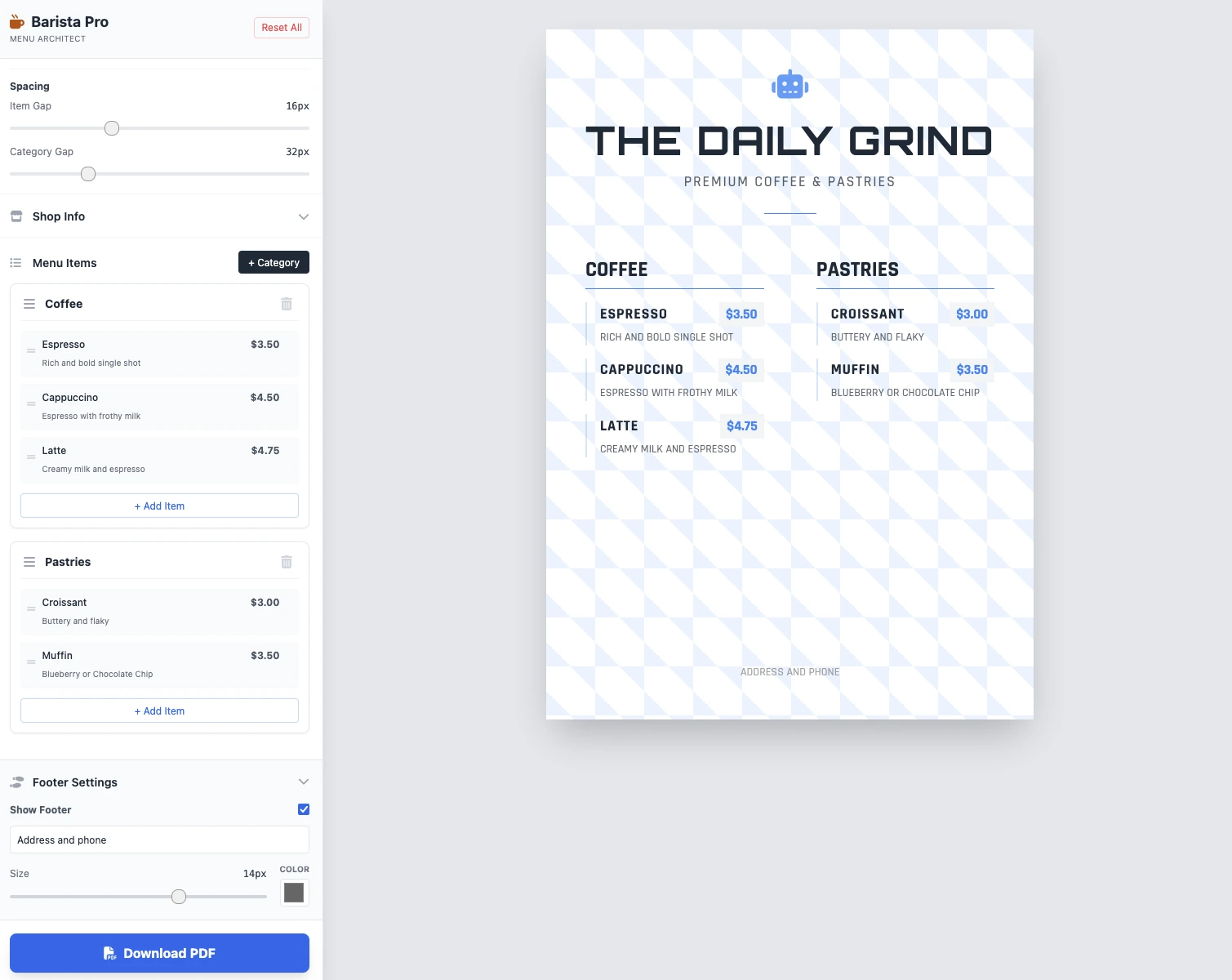
Ukuran dapat dimodifikasi, semuanya berfungsi, dan penyimpanan PDF berfungsi. Hasilnya dalam 2 prompt bersih, fungsional, dan mengesankan!
Poin penting
Belum ada komentar. Jadilah yang pertama berkomentar!




Masuk untuk ikut berdiskusi.