Gemini 3は、複雑なリクエストを理解し、数秒で本番対応コードを生成できる新世代のAIを表しています。その真の能力をテストするために、コードを1行も書かずに実用的でユニバーサルなツールを作成することにしました:カスタマイズ可能なカフェメニューデザイナー、PDFにエクスポート可能、単一のHTMLファイルに収まります。結果は?素晴らしい。
Gemini 3のテスト:AIでカフェメニューを作成
Googleは新しいバージョンのGeminiをリリースしました:バージョン3。この新しいイテレーションは、新しい推論機能とコード生成機能を約束しています。簡単なテストで見てみましょう。
最初のステップ:始める
Geminiに移動し、コマンドプロンプトで「推論」を選択します。
このテストでは、PDFにエクスポート可能なカフェ/バーメニューを迅速かつ簡単に作成するツールを作成することにしました。
初期プロンプト
使用したプロンプトは次のとおりです:
Create a single-file HTML tool for designing a coffee shop/bar menu.
FEATURES REQUIRED:
Design Themes (user selectable):
- Modern (minimalist, clean lines)
- Nature (earthy, organic feel)
- Futuristic (sleek, bold)
- Zen (calm, balanced, minimal)
Customization:
- Editable menu items with names and prices
- Add/remove menu categories (Coffee, Tea, Food, Desserts, etc.)
- Text color selection from a palette
- Theme color customization (primary accent color)
- Option to add item descriptions
Export:
- PDF export in standard sizes: A4, A3, A5, Letter, Half Letter
- Print-optimized layout
- Maintain theme and colors in PDF
Visual Elements:
- Include an illustration/icon for each theme
- Display theme preview on the left panel
- Live preview of menu as user edits
Technical:
- Single HTML file (no dependencies, or use CDN links)
- Use TailwindCSS via CDN
- Include html2pdf library for PDF export
- Fully responsive design
- Save/load functionality (LocalStorage for user data)
STRUCTURE:
- Left panel: Controls (theme, colors, export options)
- Right panel: Live menu preview
- Simple, intuitive UI
Make it production-ready, professional, and easy for non-developers to use.
Gemini 3の回答
数分考えた後、Geminiは答えます:
Here is a complete, single-file HTML solution. It uses TailwindCSS for styling, FontAwesome for icons, and html2pdf.js for generating the PDF. It requires no installation—just save the code below as an .html file (e.g., menu-maker.html) and open it in your browser.
その後にコードが続きます。コードを取得してHTMLファイルにコピーし、ブラウザで開きます。
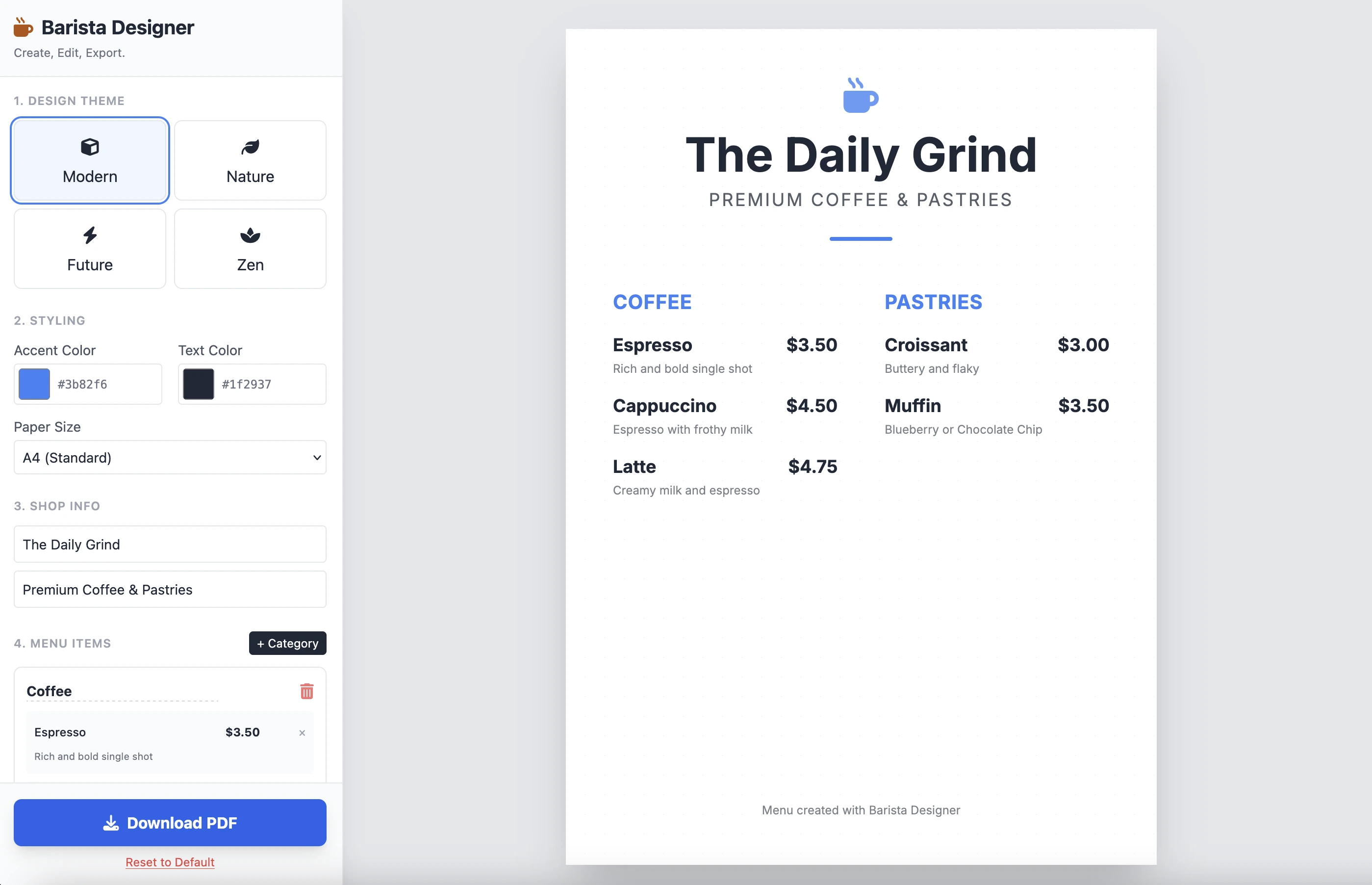
結果はこちらです:
それはクリーンで機能的です。単一のプロンプトの結果は印象的です。コードがかなり長いため、ここには置きません。ご自身でテストすることをお勧めします。
改善
実施する必要があるいくつかの実用的な改善があります:
- 要素のサイズを変更可能にする
- メニューの下のテキストを変更可能にする
さらに進めて、この2番目のプロンプトで完成させましょう:
Add the following features to the coffee menu designer:
DRAG & DROP:
- Drag categories to reorder them
- Drag menu items within categories to reorder them
- Visual feedback during drag (highlight, shadow, cursor)
- Smooth animations
SIZE CUSTOMIZATION:
- Adjustable font size for:
- Category titles (slider: 16px - 32px)
- Menu item names (slider: 12px - 24px)
- Menu item prices (slider: 10px - 20px)
- Menu item descriptions (slider: 10px - 16px)
- Show current size value next to each slider
- Live preview as user adjusts
SPACING CUSTOMIZATION (bonus):
- Gap between menu items (slider: 8px - 24px)
- Gap between categories (slider: 16px - 32px)
FOOTER TEXT CUSTOMIZATION:
- Editable footer text (currently "Menu created with Barista Designer")
- Text input field to modify footer content
- Option to toggle footer visibility (show/hide checkbox)
- Footer font size slider (8px - 16px)
- Footer text color selection from palette
UX IMPROVEMENTS:
- Add "Reset sizes to default" button
- Add icons for drag handles (≡ icon)
- Group font size controls in a dedicated panel
- Disable text selection during dragging
- Add delete buttons for categories and items
PERSISTENCE:
- Save all size settings and footer text to LocalStorage
- Load them when user reopens the tool
Keep the single-file HTML structure and maintain all existing features (themes, colors, PDF export).
強化された回答
数分の推論の後、これはGeminiの答えです:
Here is the updated, single-file solution.
I have added SortableJS (via CDN) to handle robust drag-and-drop functionality, implemented CSS Variables for high-performance live font resizing, and added the requested Footer and Spacing controls.
その後にコードが続きます。コードをコピーして新しいHTMLファイルに貼り付け、ブラウザで開きます。
以下が結果です:
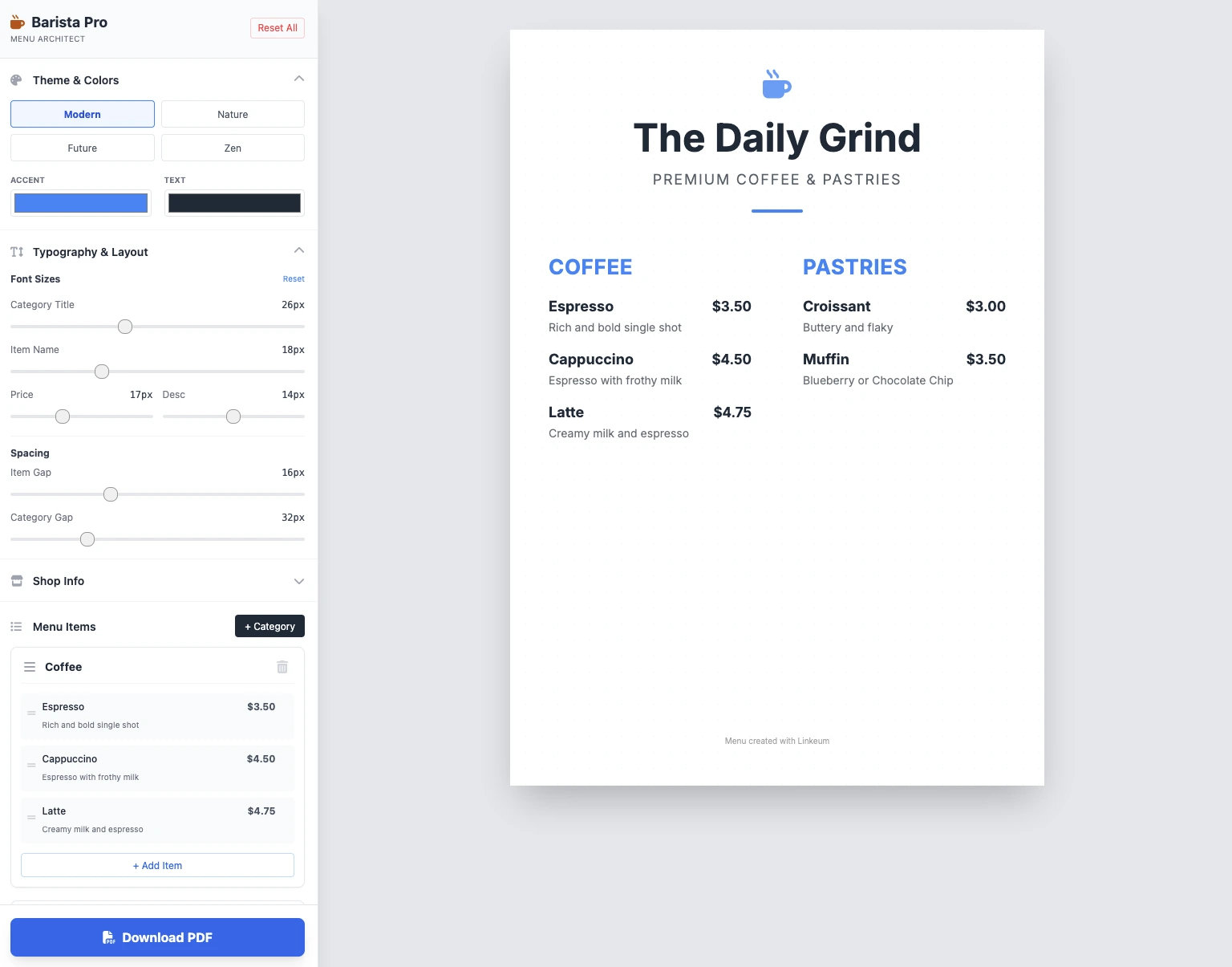
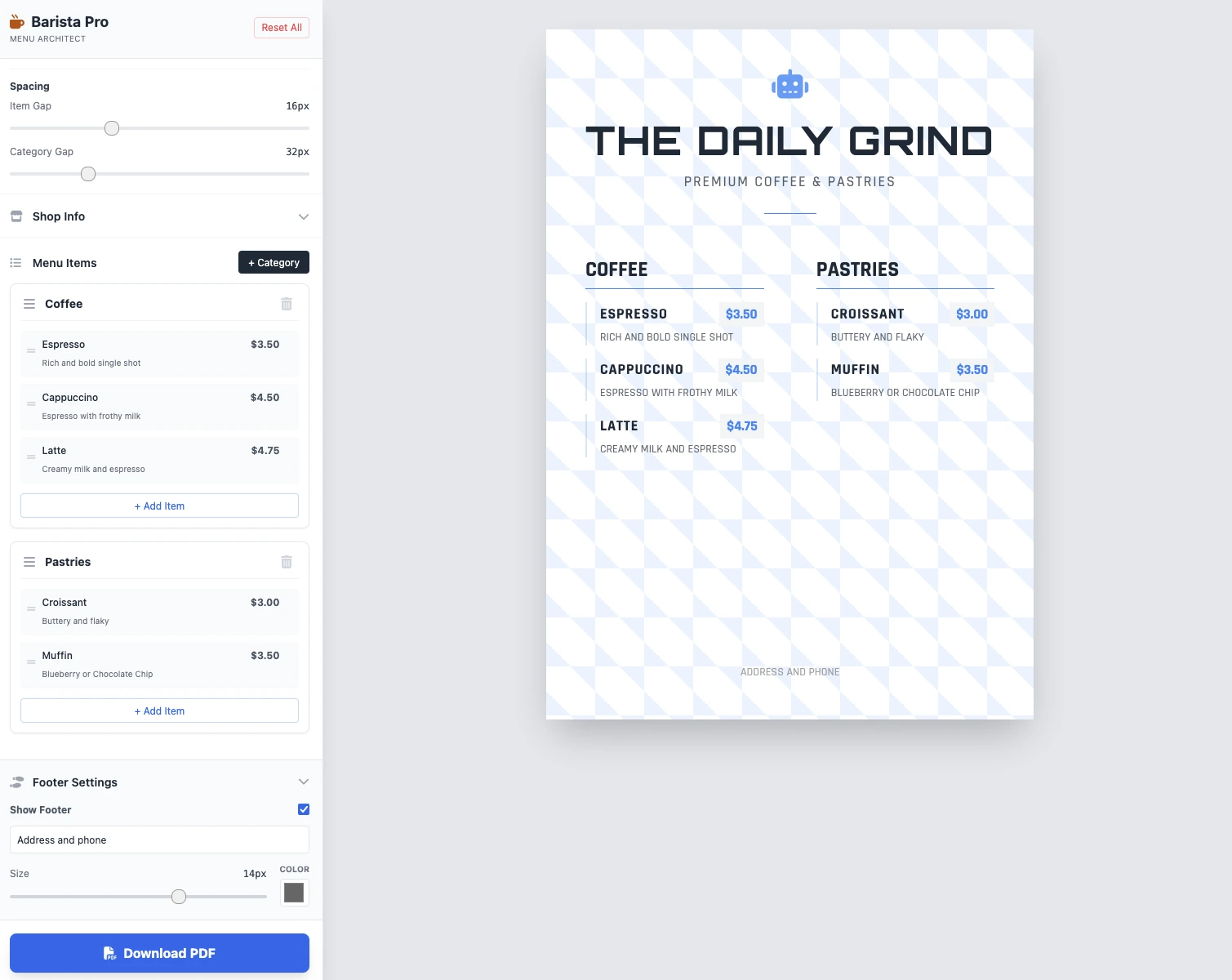
サイズは変更可能で、すべて機能し、PDF保存が機能します。2つのプロンプトの結果は、クリーン、機能的、印象的です!
重要なポイント
まだコメントはありません。最初の反応をどうぞ!




ログインして 議論に参加してください。