Gemini 3는 복잡한 요청을 이해하고 몇 초 내에 프로덕션 레벨의 코드를 생성할 수 있는 새로운 세대의 AI를 나타냅니다. 그 진정한 능력을 테스트하기 위해 코드 한 줄도 작성하지 않고 실용적이고 보편적인 도구를 만들기로 결정했습니다: 사용자 정의 가능한 카페 메뉴 디자이너, PDF로 내보낼 수 있으며 단일 HTML 파일에 맞습니다. 결과는? 인상적입니다.
Gemini 3 테스트: AI로 카페 메뉴 만들기
Google이 Gemini의 새로운 버전을 출시했습니다: 버전 3. 이 새로운 반복은 새로운 추론 기능과 코드 생성 기능을 약속합니다. 간단한 테스트로 이를 살펴봅시다.
첫 번째 단계: 시작하기
Gemini로 이동하여 명령 프롬프트에서 "추론"을 선택합니다.
이 테스트를 위해 PDF로 내보낼 수 있는 카페/바 메뉴를 빠르고 쉽게 만드는 도구를 만들기로 결정했습니다.
초기 프롬프트
사용된 프롬프트는 다음과 같습니다:
Create a single-file HTML tool for designing a coffee shop/bar menu.
FEATURES REQUIRED:
Design Themes (user selectable):
- Modern (minimalist, clean lines)
- Nature (earthy, organic feel)
- Futuristic (sleek, bold)
- Zen (calm, balanced, minimal)
Customization:
- Editable menu items with names and prices
- Add/remove menu categories (Coffee, Tea, Food, Desserts, etc.)
- Text color selection from a palette
- Theme color customization (primary accent color)
- Option to add item descriptions
Export:
- PDF export in standard sizes: A4, A3, A5, Letter, Half Letter
- Print-optimized layout
- Maintain theme and colors in PDF
Visual Elements:
- Include an illustration/icon for each theme
- Display theme preview on the left panel
- Live preview of menu as user edits
Technical:
- Single HTML file (no dependencies, or use CDN links)
- Use TailwindCSS via CDN
- Include html2pdf library for PDF export
- Fully responsive design
- Save/load functionality (LocalStorage for user data)
STRUCTURE:
- Left panel: Controls (theme, colors, export options)
- Right panel: Live menu preview
- Simple, intuitive UI
Make it production-ready, professional, and easy for non-developers to use.
Gemini 3의 응답
몇 분 동안 생각한 후 Gemini가 응답합니다:
Here is a complete, single-file HTML solution. It uses TailwindCSS for styling, FontAwesome for icons, and html2pdf.js for generating the PDF. It requires no installation—just save the code below as an .html file (e.g., menu-maker.html) and open it in your browser.
코드가 뒤따릅니다. 코드를 가져와서 HTML 파일에 복사하고 브라우저에서 엽니다.
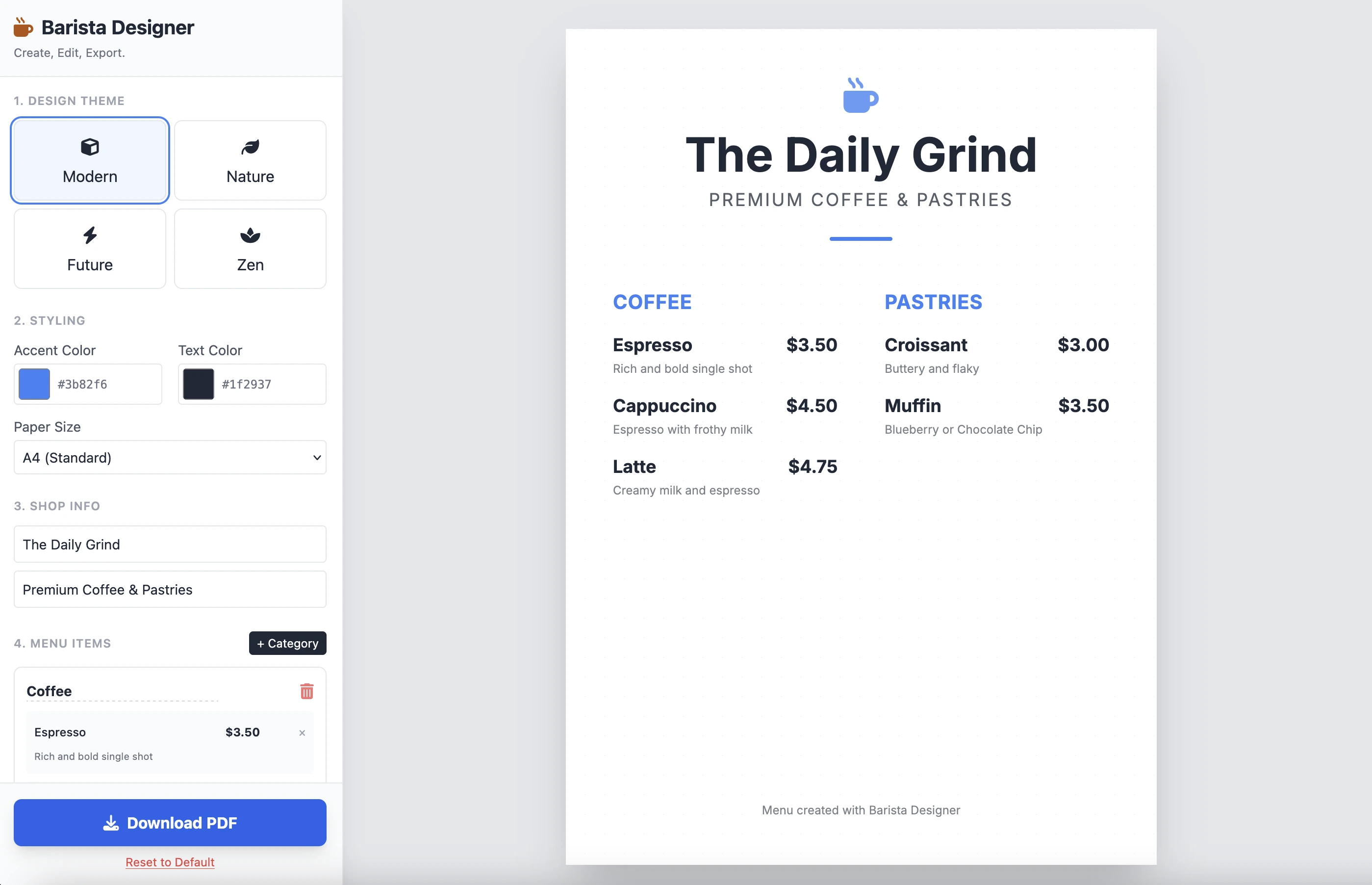
결과는 다음과 같습니다:
깔끔하고 기능적입니다. 단일 프롬프트의 결과는 인상적입니다. 코드가 꽤 길기 때문에 여기에 놓지 않겠습니다. 직접 테스트해보시길 권장합니다.
개선 사항
수행해야 할 몇 가지 실용적인 개선 사항이 있습니다:
- 요소의 크기를 수정 가능하게 만들기
- 메뉴 하단의 텍스트를 수정 가능하게 만들기
더 나아가 이 두 번째 프롬프트로 완성해봅시다:
Add the following features to the coffee menu designer:
DRAG & DROP:
- Drag categories to reorder them
- Drag menu items within categories to reorder them
- Visual feedback during drag (highlight, shadow, cursor)
- Smooth animations
SIZE CUSTOMIZATION:
- Adjustable font size for:
- Category titles (slider: 16px - 32px)
- Menu item names (slider: 12px - 24px)
- Menu item prices (slider: 10px - 20px)
- Menu item descriptions (slider: 10px - 16px)
- Show current size value next to each slider
- Live preview as user adjusts
SPACING CUSTOMIZATION (bonus):
- Gap between menu items (slider: 8px - 24px)
- Gap between categories (slider: 16px - 32px)
FOOTER TEXT CUSTOMIZATION:
- Editable footer text (currently "Menu created with Barista Designer")
- Text input field to modify footer content
- Option to toggle footer visibility (show/hide checkbox)
- Footer font size slider (8px - 16px)
- Footer text color selection from palette
UX IMPROVEMENTS:
- Add "Reset sizes to default" button
- Add icons for drag handles (≡ icon)
- Group font size controls in a dedicated panel
- Disable text selection during dragging
- Add delete buttons for categories and items
PERSISTENCE:
- Save all size settings and footer text to LocalStorage
- Load them when user reopens the tool
Keep the single-file HTML structure and maintain all existing features (themes, colors, PDF export).
향상된 응답
몇 분의 추론 후 Gemini의 응답입니다:
Here is the updated, single-file solution.
I have added SortableJS (via CDN) to handle robust drag-and-drop functionality, implemented CSS Variables for high-performance live font resizing, and added the requested Footer and Spacing controls.
코드가 뒤따릅니다. 코드를 새 HTML 파일에 복사하여 붙여넣고 브라우저에서 엽니다.
다음은 결과입니다:
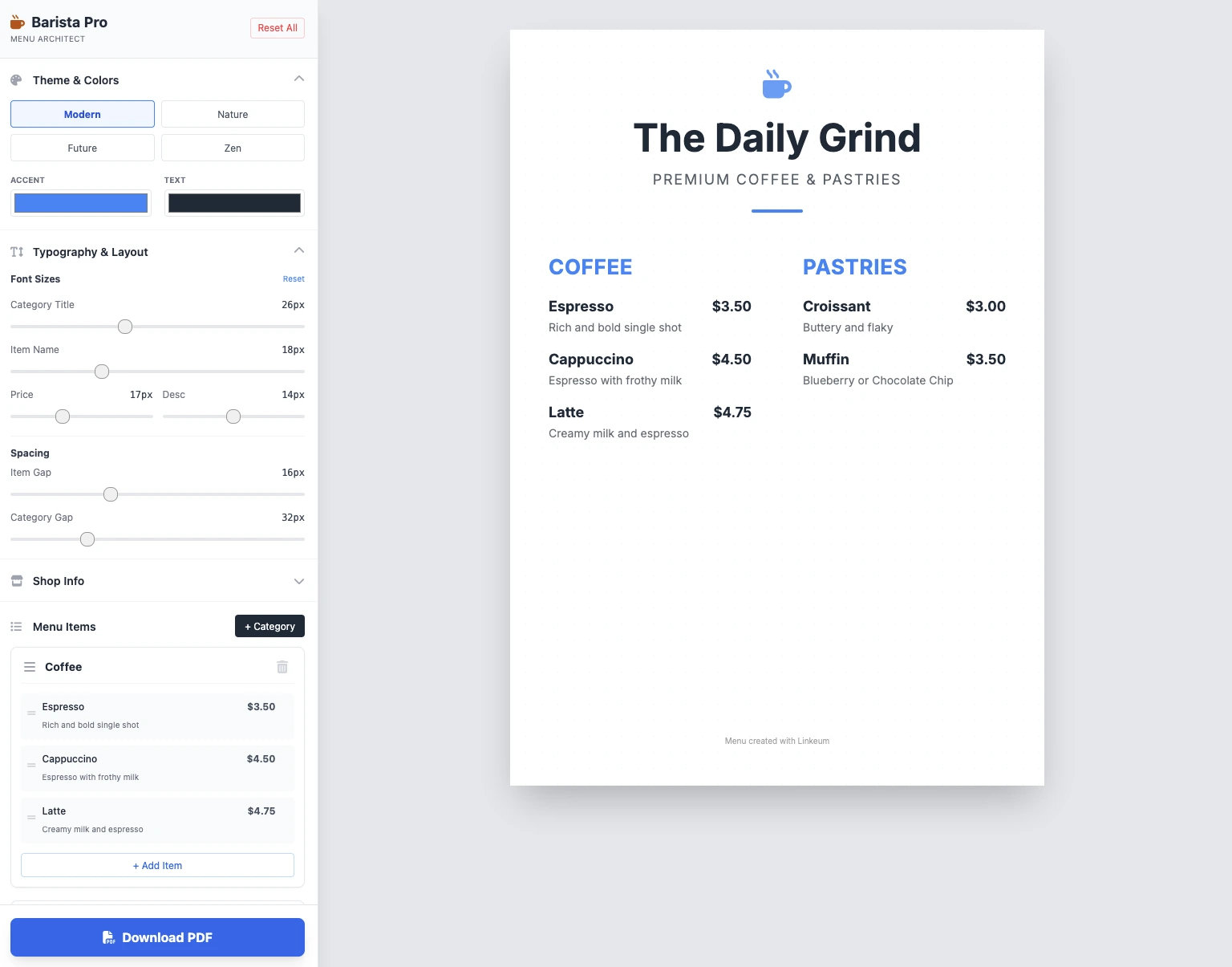
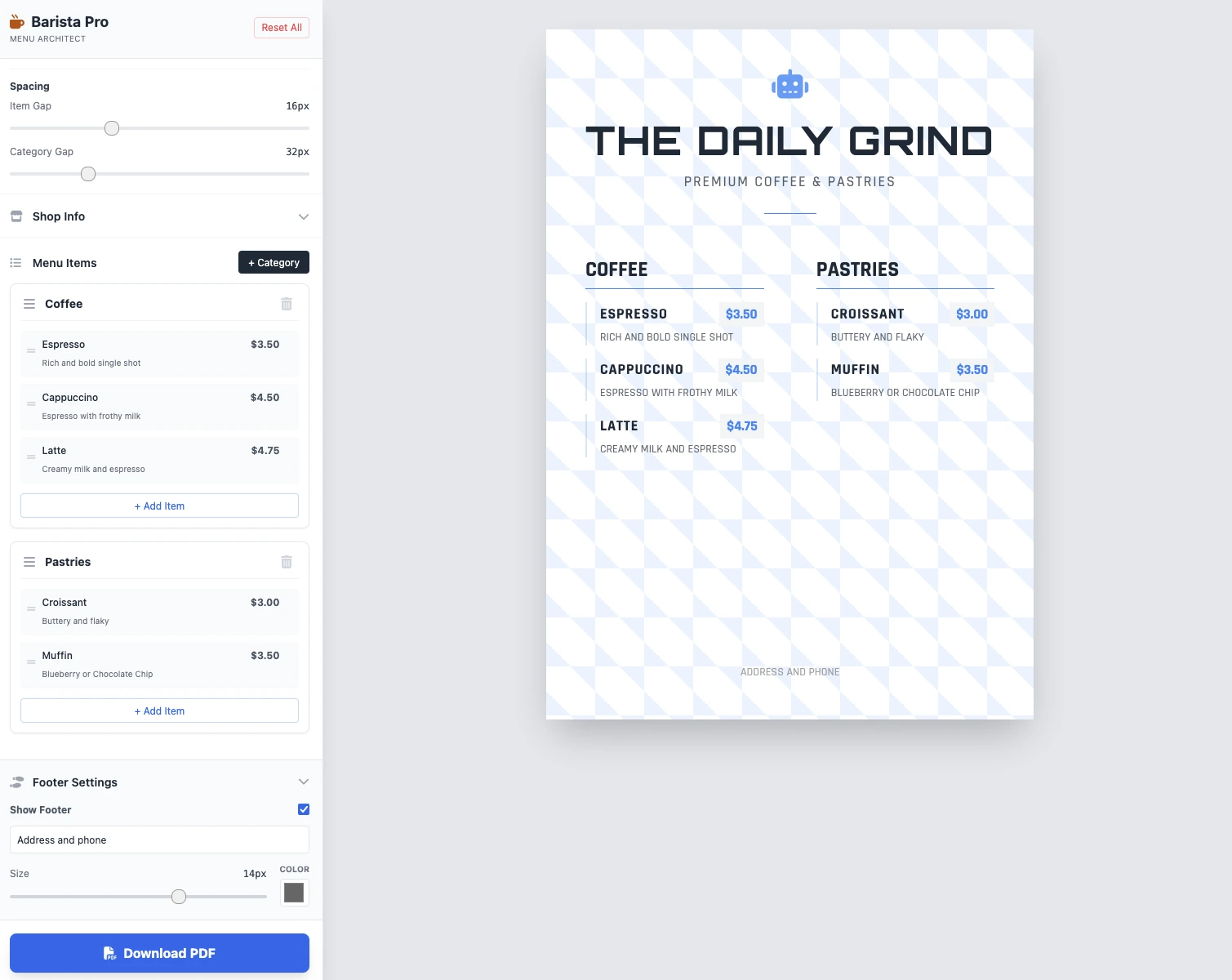
크기는 수정 가능하고, 모든 것이 작동하며, PDF 저장이 작동합니다. 2개 프롬프트의 결과는 깔끔하고 기능적이며 인상적입니다!
핵심 요점
아직 댓글이 없습니다. 가장 먼저 반응해 보세요!




로그인하고 토론에 참여하세요.