Gemini 3, karmaşık istekleri anlayabilen ve saniyeler içinde üretime hazır kod oluşturabilen yeni nesil bir yapay zekayı temsil etmektedir. Gerçek yeteneklerini test etmek için, tek satır kod yazmadan pratik ve evrensel bir araç oluşturmaya karar verdim: özelleştirilebilir bir kafe menüsü tasarımcı, PDF'ye aktarılabilir ve tek bir HTML dosyasına sığabilen. Sonuç? Etkileyici.
Gemini 3'ü test etmek: AI ile bir kafe menüsü oluşturun
Google, Gemini'nin yeni bir sürümünü yayınladı: Sürüm 3. Bu yeni yineleme yeni akıl yürütme ve kod oluşturma yetenekleri vaat ediyor. Bunu basit bir testle görelim.
İlk adım: başlayın
Gemini'ye gidin ve komut isteminde "akıl yürütme"yi seçin.
Bu test için, PDF'ye aktarılabilir bir kafe/bar menüsünü hızlı ve kolay bir şekilde oluşturmak için bir araç oluşturmaya karar verdim.
İlk istem
Kullanılan istem şu şekildedir:
Create a single-file HTML tool for designing a coffee shop/bar menu.
FEATURES REQUIRED:
Design Themes (user selectable):
- Modern (minimalist, clean lines)
- Nature (earthy, organic feel)
- Futuristic (sleek, bold)
- Zen (calm, balanced, minimal)
Customization:
- Editable menu items with names and prices
- Add/remove menu categories (Coffee, Tea, Food, Desserts, etc.)
- Text color selection from a palette
- Theme color customization (primary accent color)
- Option to add item descriptions
Export:
- PDF export in standard sizes: A4, A3, A5, Letter, Half Letter
- Print-optimized layout
- Maintain theme and colors in PDF
Visual Elements:
- Include an illustration/icon for each theme
- Display theme preview on the left panel
- Live preview of menu as user edits
Technical:
- Single HTML file (no dependencies, or use CDN links)
- Use TailwindCSS via CDN
- Include html2pdf library for PDF export
- Fully responsive design
- Save/load functionality (LocalStorage for user data)
STRUCTURE:
- Left panel: Controls (theme, colors, export options)
- Right panel: Live menu preview
- Simple, intuitive UI
Make it production-ready, professional, and easy for non-developers to use.
Gemini 3'ün Yanıtı
Birkaç dakika düşündükten sonra Gemini yanıtlıyor:
Here is a complete, single-file HTML solution. It uses TailwindCSS for styling, FontAwesome for icons, and html2pdf.js for generating the PDF. It requires no installation—just save the code below as an .html file (e.g., menu-maker.html) and open it in your browser.
Kodun ardından. Kodu alıp bir HTML dosyasına kopyaladım ve tarayıcımda açtım.
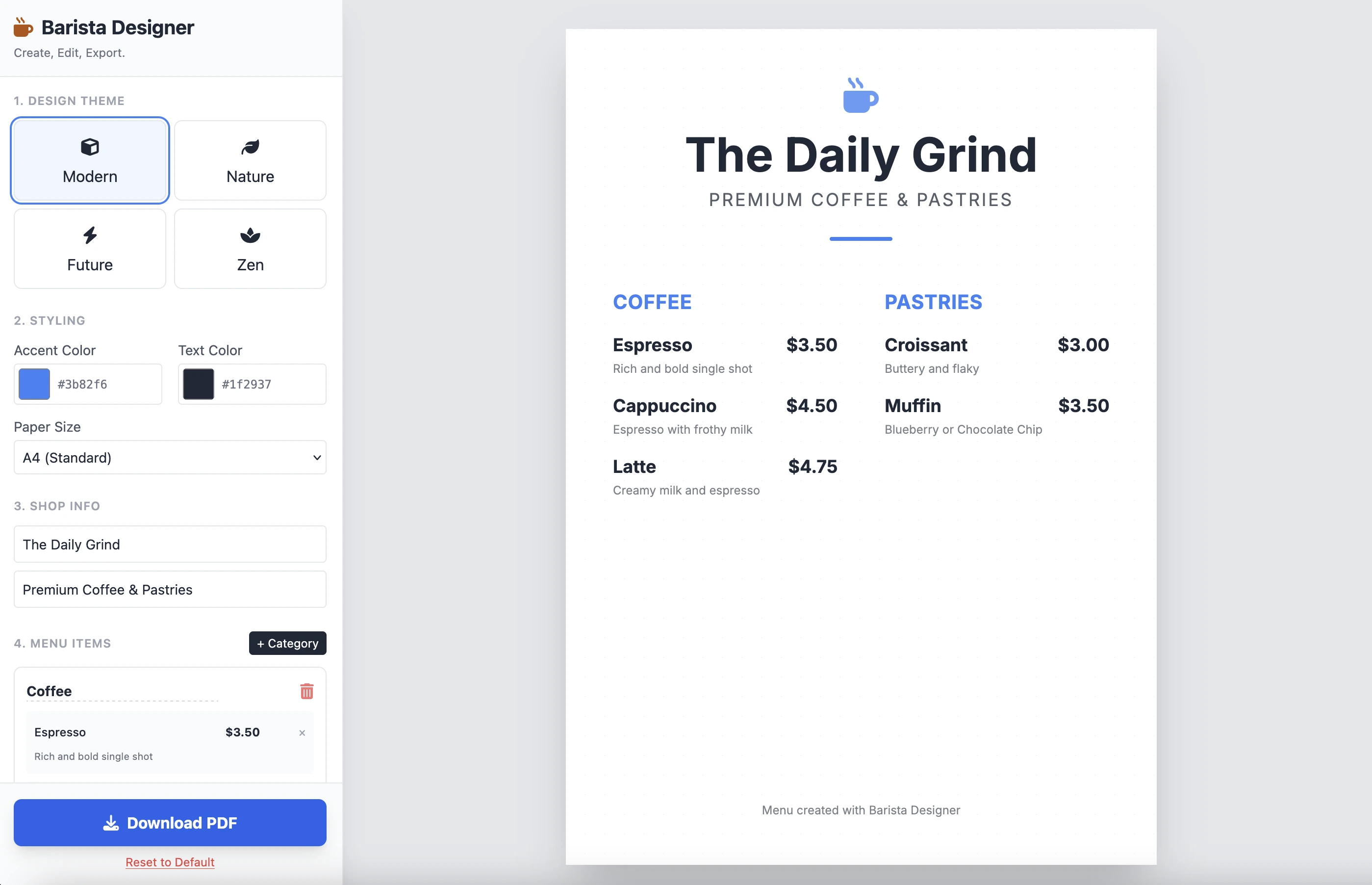
İşte sonuç:
Temiz ve işlevseldir. Tek bir istemle elde edilen sonuç etkileyicidir. Kod oldukça uzun olduğu için buraya koymuyorum. Kendiniz test etmenizi davet ediyorum.
İyileştirmeler
Yapılması gereken birkaç pratik iyileştirme vardır:
- Öğelerin boyutunu değiştirilebilir yapmak
- Menünün altındaki metni değiştirilebilir yapmak
Devam edelim ve bu ikinci istemle tamamlayalım:
Add the following features to the coffee menu designer:
DRAG & DROP:
- Drag categories to reorder them
- Drag menu items within categories to reorder them
- Visual feedback during drag (highlight, shadow, cursor)
- Smooth animations
SIZE CUSTOMIZATION:
- Adjustable font size for:
- Category titles (slider: 16px - 32px)
- Menu item names (slider: 12px - 24px)
- Menu item prices (slider: 10px - 20px)
- Menu item descriptions (slider: 10px - 16px)
- Show current size value next to each slider
- Live preview as user adjusts
SPACING CUSTOMIZATION (bonus):
- Gap between menu items (slider: 8px - 24px)
- Gap between categories (slider: 16px - 32px)
FOOTER TEXT CUSTOMIZATION:
- Editable footer text (currently "Menu created with Barista Designer")
- Text input field to modify footer content
- Option to toggle footer visibility (show/hide checkbox)
- Footer font size slider (8px - 16px)
- Footer text color selection from palette
UX IMPROVEMENTS:
- Add "Reset sizes to default" button
- Add icons for drag handles (≡ icon)
- Group font size controls in a dedicated panel
- Disable text selection during dragging
- Add delete buttons for categories and items
PERSISTENCE:
- Save all size settings and footer text to LocalStorage
- Load them when user reopens the tool
Keep the single-file HTML structure and maintain all existing features (themes, colors, PDF export).
İyileştirilmiş Yanıt
Birkaç dakika akıl yürütmenin ardından, Gemini'nin yanıtı:
Here is the updated, single-file solution.
I have added SortableJS (via CDN) to handle robust drag-and-drop functionality, implemented CSS Variables for high-performance live font resizing, and added the requested Footer and Spacing controls.
Kodun ardından. Kodu yeni bir HTML dosyasına kopyalayıp yapıştırdım ve tarayıcımda açtım.
İşte sonuç:
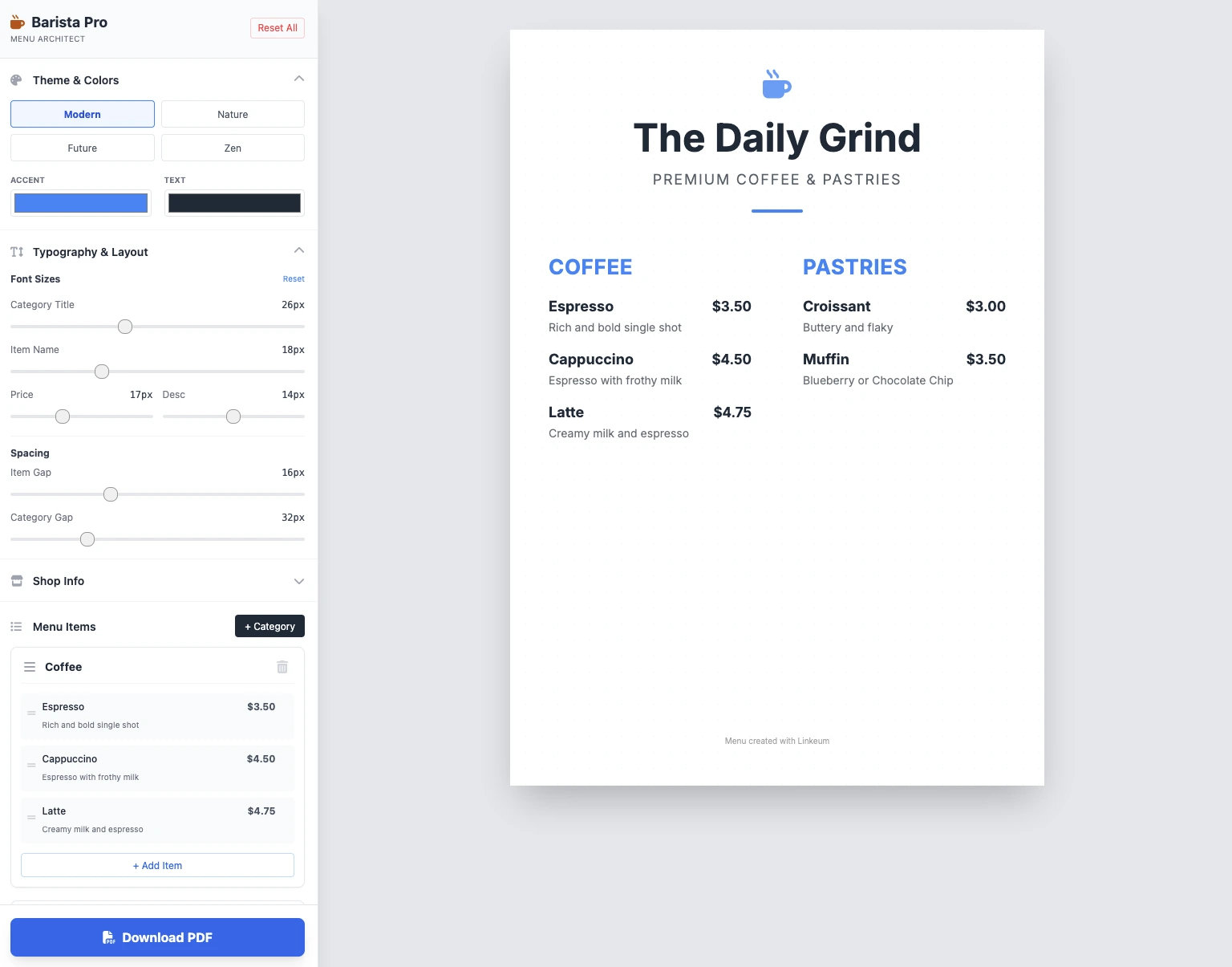
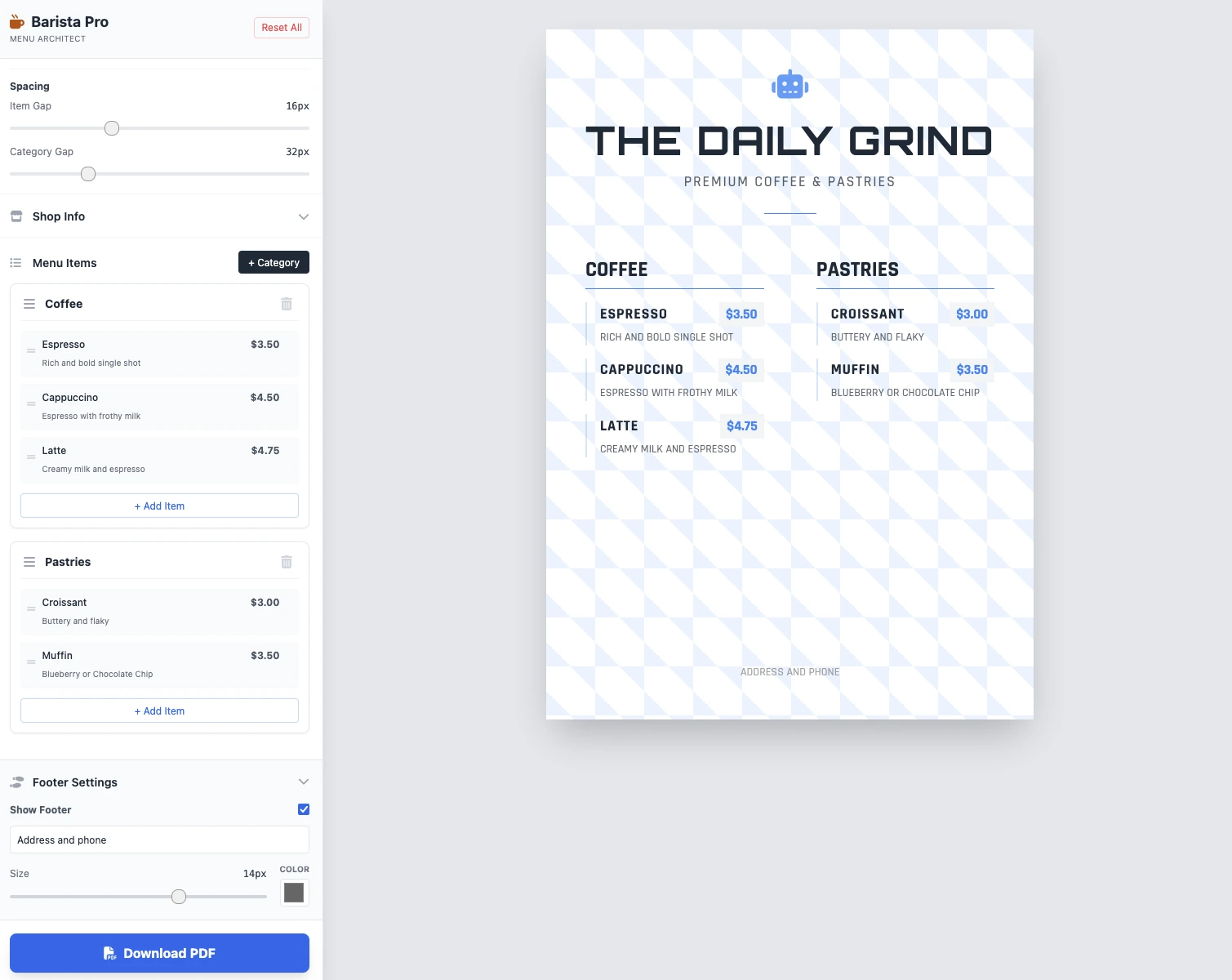
Boyutlar değiştirilebilir, her şey çalışıyor ve PDF kaydı çalışıyor. 2 istemde elde edilen sonuç temiz, işlevsel ve etkileyicidir!
Ana Noktalar
Henüz yorum yok. İlk tepki veren siz olun!




Giriş yapın tartışmaya katılmak için.