Gemini 3 đại diện cho thế hệ AI mới có khả năng hiểu các yêu cầu phức tạp và tạo ra mã sẵn sàng sản xuất trong vài giây. Để kiểm tra các khả năng thực sự của nó, tôi quyết định tạo một công cụ thực tế và phổ quát mà không cần viết một dòng mã: nhà thiết kế menu quán cà phê có thể tùy chỉnh, xuất được sang PDF và vừa với một tệp HTML duy nhất. Kết quả? Ấn tượng.
Kiểm tra Gemini 3: tạo menu quán cà phê với AI
Google đã phát hành phiên bản mới của Gemini: phiên bản 3. Lần lặp này hứa hẹn các khả năng suy luận và tạo mã mới. Chúng ta hãy xem điều này với một bài kiểm tra đơn giản.
Bước đầu tiên: bắt đầu
Đi tới Gemini và chọn "suy luận" trong lời nhắc lệnh.
Đối với bài kiểm tra này, tôi quyết định tạo một công cụ để nhanh chóng và dễ dàng tạo menu quán cà phê/quán bar có thể xuất sang PDF.
Lời nhắc ban đầu
Đây là lời nhắc được sử dụng:
Create a single-file HTML tool for designing a coffee shop/bar menu.
FEATURES REQUIRED:
Design Themes (user selectable):
- Modern (minimalist, clean lines)
- Nature (earthy, organic feel)
- Futuristic (sleek, bold)
- Zen (calm, balanced, minimal)
Customization:
- Editable menu items with names and prices
- Add/remove menu categories (Coffee, Tea, Food, Desserts, etc.)
- Text color selection from a palette
- Theme color customization (primary accent color)
- Option to add item descriptions
Export:
- PDF export in standard sizes: A4, A3, A5, Letter, Half Letter
- Print-optimized layout
- Maintain theme and colors in PDF
Visual Elements:
- Include an illustration/icon for each theme
- Display theme preview on the left panel
- Live preview of menu as user edits
Technical:
- Single HTML file (no dependencies, or use CDN links)
- Use TailwindCSS via CDN
- Include html2pdf library for PDF export
- Fully responsive design
- Save/load functionality (LocalStorage for user data)
STRUCTURE:
- Left panel: Controls (theme, colors, export options)
- Right panel: Live menu preview
- Simple, intuitive UI
Make it production-ready, professional, and easy for non-developers to use.
Phản hồi của Gemini 3
Sau vài phút suy nghĩ, Gemini trả lời:
Here is a complete, single-file HTML solution. It uses TailwindCSS for styling, FontAwesome for icons, and html2pdf.js for generating the PDF. It requires no installation—just save the code below as an .html file (e.g., menu-maker.html) and open it in your browser.
Theo sau là mã. Tôi lấy mã và sao chép nó vào tệp HTML mà tôi mở trong trình duyệt.
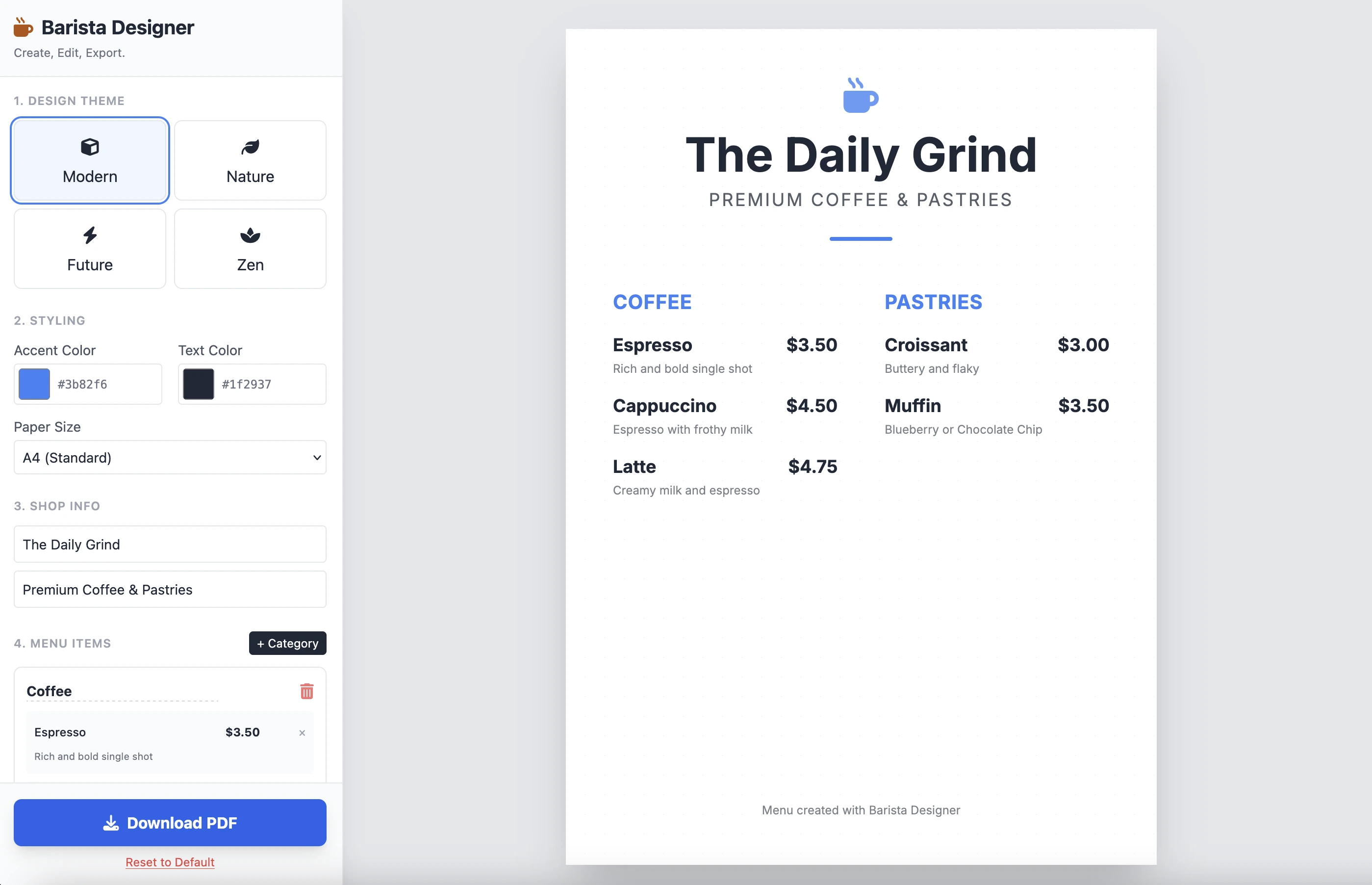
Và đây là kết quả:
Nó sạch sẽ và chức năng. Kết quả từ một lời nhắc duy nhất là ấn tượng. Tôi không đặt mã ở đây vì nó khá dài. Tôi mời bạn tự kiểm tra.
Những cải tiến
Có một số cải tiến thực tế cần thực hiện:
- Làm cho kích thước của các phần tử có thể sửa đổi được
- Làm cho văn bản ở cuối menu có thể sửa đổi được
Hãy tiếp tục và hoàn thành với lời nhắc thứ hai này:
Add the following features to the coffee menu designer:
DRAG & DROP:
- Drag categories to reorder them
- Drag menu items within categories to reorder them
- Visual feedback during drag (highlight, shadow, cursor)
- Smooth animations
SIZE CUSTOMIZATION:
- Adjustable font size for:
- Category titles (slider: 16px - 32px)
- Menu item names (slider: 12px - 24px)
- Menu item prices (slider: 10px - 20px)
- Menu item descriptions (slider: 10px - 16px)
- Show current size value next to each slider
- Live preview as user adjusts
SPACING CUSTOMIZATION (bonus):
- Gap between menu items (slider: 8px - 24px)
- Gap between categories (slider: 16px - 32px)
FOOTER TEXT CUSTOMIZATION:
- Editable footer text (currently "Menu created with Barista Designer")
- Text input field to modify footer content
- Option to toggle footer visibility (show/hide checkbox)
- Footer font size slider (8px - 16px)
- Footer text color selection from palette
UX IMPROVEMENTS:
- Add "Reset sizes to default" button
- Add icons for drag handles (≡ icon)
- Group font size controls in a dedicated panel
- Disable text selection during dragging
- Add delete buttons for categories and items
PERSISTENCE:
- Save all size settings and footer text to LocalStorage
- Load them when user reopens the tool
Keep the single-file HTML structure and maintain all existing features (themes, colors, PDF export).
Phản hồi được cải thiện
Sau vài phút suy luận, đây là phản hồi của Gemini:
Here is the updated, single-file solution.
I have added SortableJS (via CDN) to handle robust drag-and-drop functionality, implemented CSS Variables for high-performance live font resizing, and added the requested Footer and Spacing controls.
Theo sau là mã. Tôi sao chép và dán mã vào tệp HTML mới và mở nó trong trình duyệt.
Dưới đây là kết quả:
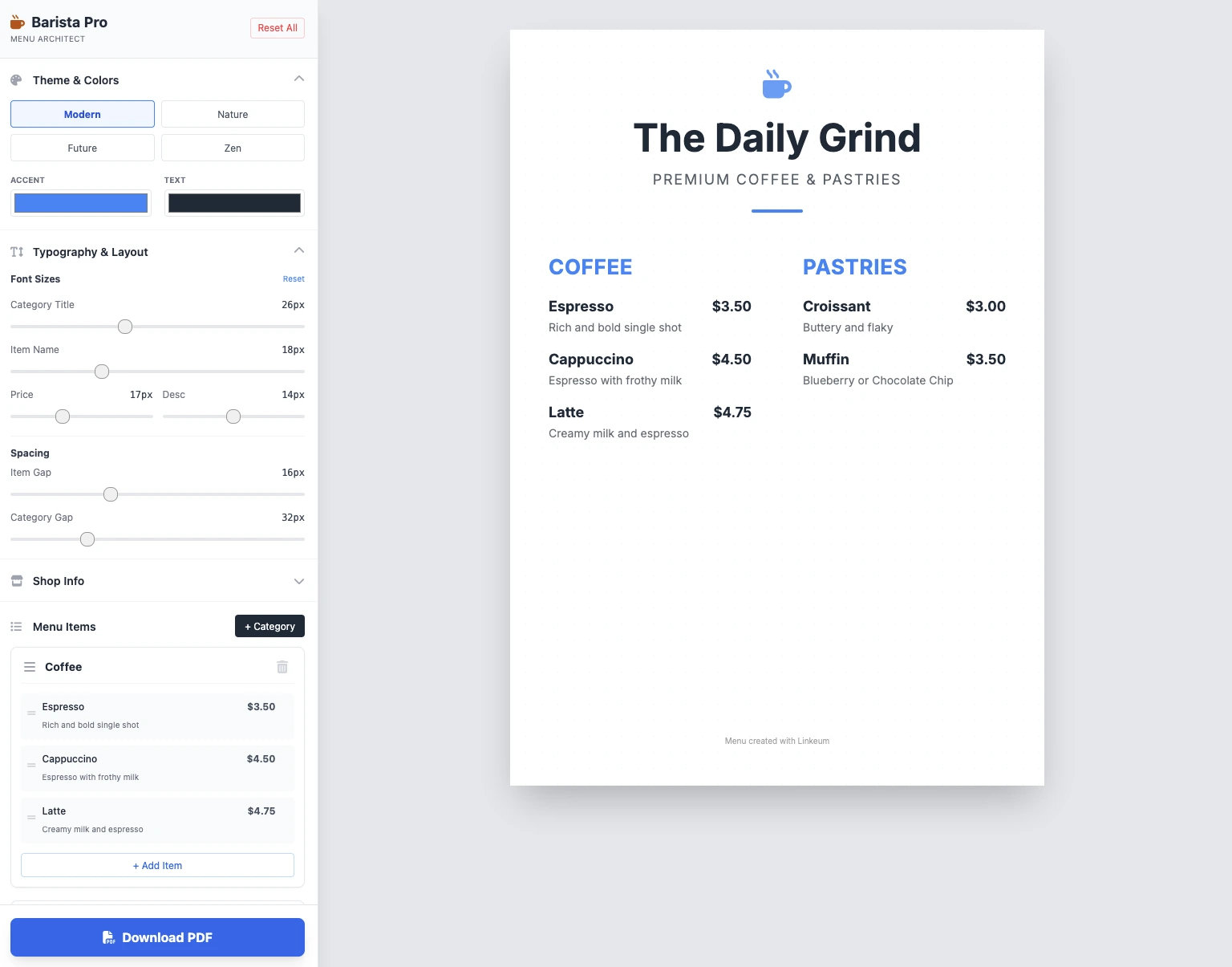
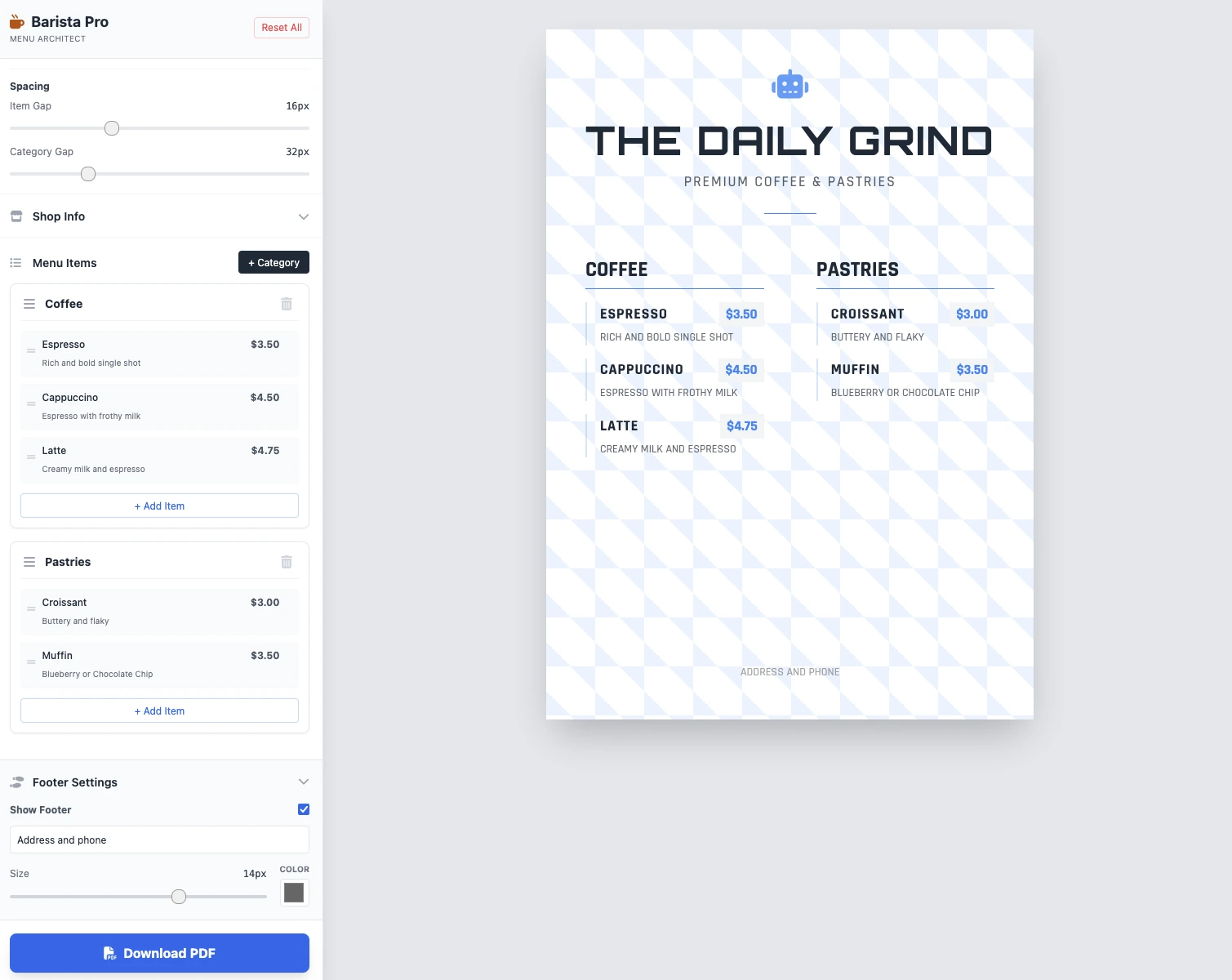
Các kích thước có thể sửa đổi được, mọi thứ hoạt động và lưu PDF hoạt động. Kết quả trong 2 lời nhắc sạch sẽ, chức năng và ấn tượng!
Điểm chính
Chưa có bình luận nào. Hãy là người đầu tiên phản hồi!




Đăng nhập để tham gia thảo luận.