Gemini 3 代表了新一代 AI,能够理解复杂的需求并在几秒内生成生产就绪的代码。为了测试其真正的能力,我决定在不编写一行代码的情况下创建一个实用且通用的工具:一个可定制的咖啡菜单设计师,可导出为 PDF,并适应单个 HTML 文件。结果?令人印象深刻。
测试 Gemini 3:用 AI 创建咖啡菜单
谷歌发布了 Gemini 的新版本:第 3 版。这个新的迭代承诺了新的推理能力和代码生成功能。让我们通过一个简单的测试来看看这一点。
第一步:开始
访问 Gemini 并在命令提示符中选择"推理"。
对于这个测试,我决定创建一个快速轻松创建可导出 PDF 的咖啡/酒吧菜单的工具。
初始提示
以下是使用的提示:
Create a single-file HTML tool for designing a coffee shop/bar menu.
FEATURES REQUIRED:
Design Themes (user selectable):
- Modern (minimalist, clean lines)
- Nature (earthy, organic feel)
- Futuristic (sleek, bold)
- Zen (calm, balanced, minimal)
Customization:
- Editable menu items with names and prices
- Add/remove menu categories (Coffee, Tea, Food, Desserts, etc.)
- Text color selection from a palette
- Theme color customization (primary accent color)
- Option to add item descriptions
Export:
- PDF export in standard sizes: A4, A3, A5, Letter, Half Letter
- Print-optimized layout
- Maintain theme and colors in PDF
Visual Elements:
- Include an illustration/icon for each theme
- Display theme preview on the left panel
- Live preview of menu as user edits
Technical:
- Single HTML file (no dependencies, or use CDN links)
- Use TailwindCSS via CDN
- Include html2pdf library for PDF export
- Fully responsive design
- Save/load functionality (LocalStorage for user data)
STRUCTURE:
- Left panel: Controls (theme, colors, export options)
- Right panel: Live menu preview
- Simple, intuitive UI
Make it production-ready, professional, and easy for non-developers to use.
Gemini 3 的响应
经过几分钟的思考,Gemini 响应:
Here is a complete, single-file HTML solution. It uses TailwindCSS for styling, FontAwesome for icons, and html2pdf.js for generating the PDF. It requires no installation—just save the code below as an .html file (e.g., menu-maker.html) and open it in your browser.
随后是代码。我获取代码并将其复制到一个 HTML 文件中,然后在浏览器中打开它。
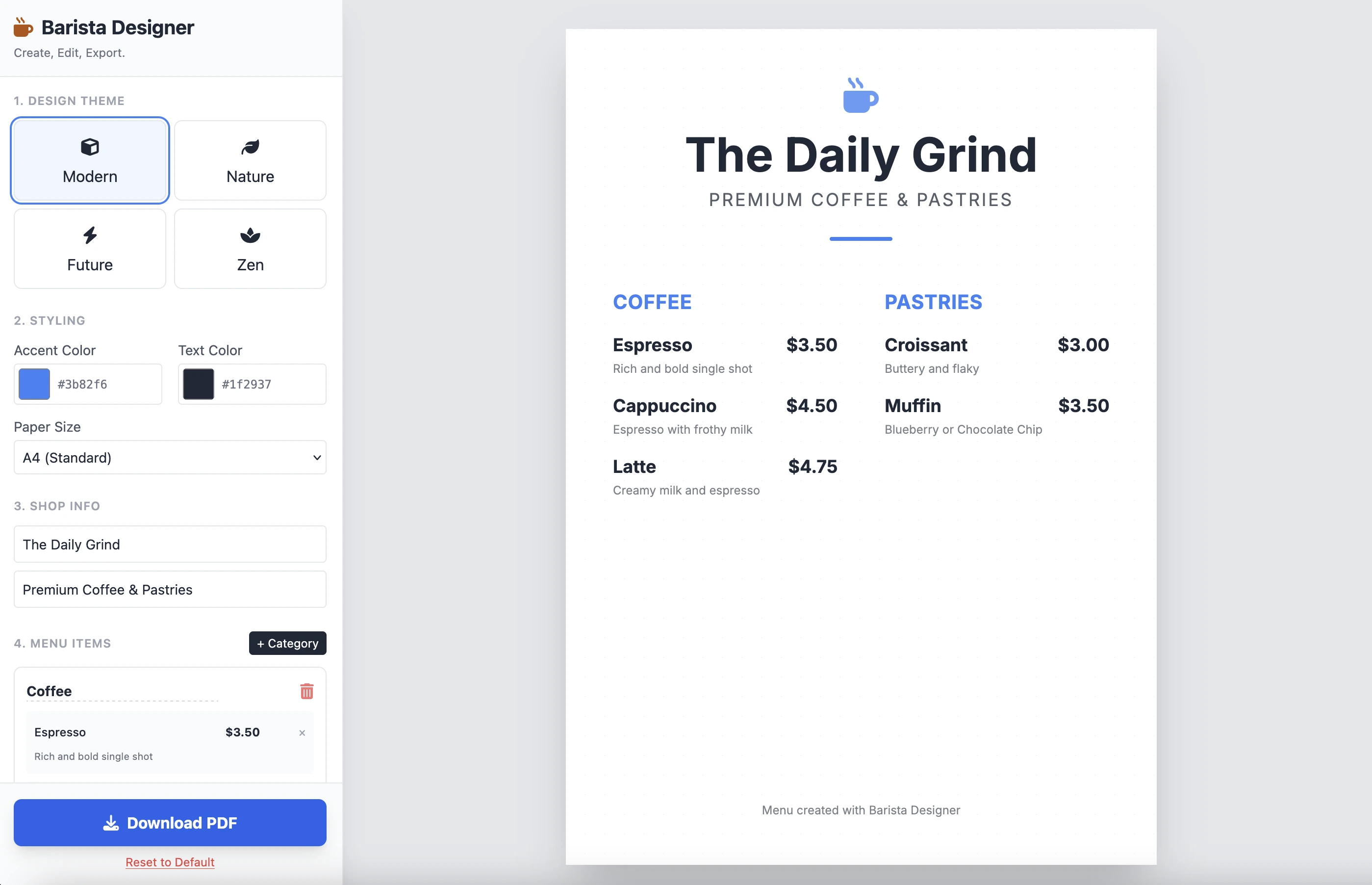
结果如下:
它干净且功能强大。单个提示的结果令人印象深刻。我不会在这里放置代码,因为它相当长。我邀请您自己测试。
改进
有一些实际的改进需要做:
- 使元素的大小可修改
- 使菜单底部的文本可修改
让我们进一步推进,使用第二个提示完成它:
Add the following features to the coffee menu designer:
DRAG & DROP:
- Drag categories to reorder them
- Drag menu items within categories to reorder them
- Visual feedback during drag (highlight, shadow, cursor)
- Smooth animations
SIZE CUSTOMIZATION:
- Adjustable font size for:
- Category titles (slider: 16px - 32px)
- Menu item names (slider: 12px - 24px)
- Menu item prices (slider: 10px - 20px)
- Menu item descriptions (slider: 10px - 16px)
- Show current size value next to each slider
- Live preview as user adjusts
SPACING CUSTOMIZATION (bonus):
- Gap between menu items (slider: 8px - 24px)
- Gap between categories (slider: 16px - 32px)
FOOTER TEXT CUSTOMIZATION:
- Editable footer text (currently "Menu created with Barista Designer")
- Text input field to modify footer content
- Option to toggle footer visibility (show/hide checkbox)
- Footer font size slider (8px - 16px)
- Footer text color selection from palette
UX IMPROVEMENTS:
- Add "Reset sizes to default" button
- Add icons for drag handles (≡ icon)
- Group font size controls in a dedicated panel
- Disable text selection during dragging
- Add delete buttons for categories and items
PERSISTENCE:
- Save all size settings and footer text to LocalStorage
- Load them when user reopens the tool
Keep the single-file HTML structure and maintain all existing features (themes, colors, PDF export).
增强的响应
经过几分钟的推理,这是 Gemini 的响应:
Here is the updated, single-file solution.
I have added SortableJS (via CDN) to handle robust drag-and-drop functionality, implemented CSS Variables for high-performance live font resizing, and added the requested Footer and Spacing controls.
随后是代码。我将代码复制粘贴到一个新的 HTML 文件中并在浏览器中打开它。
以下是结果:
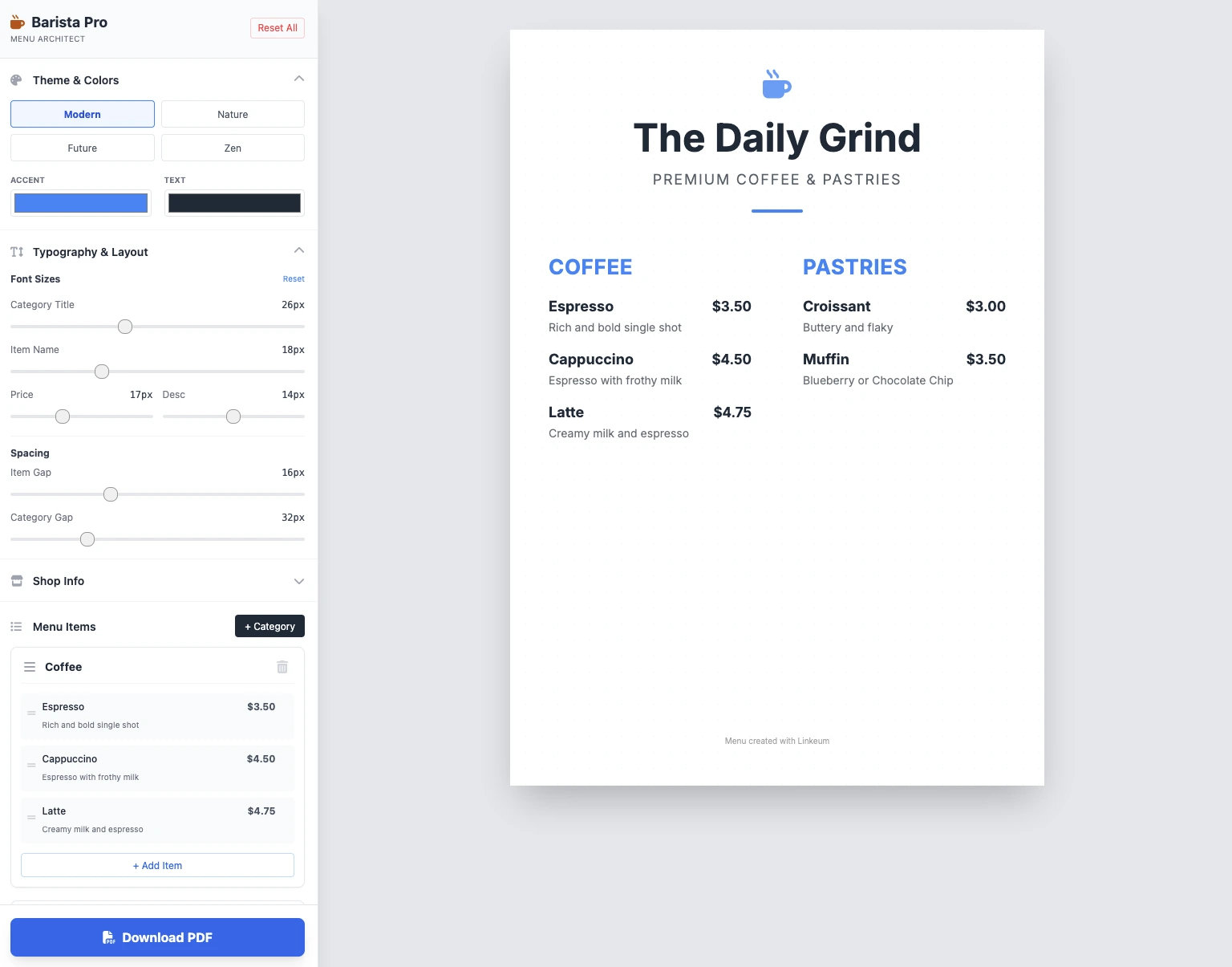
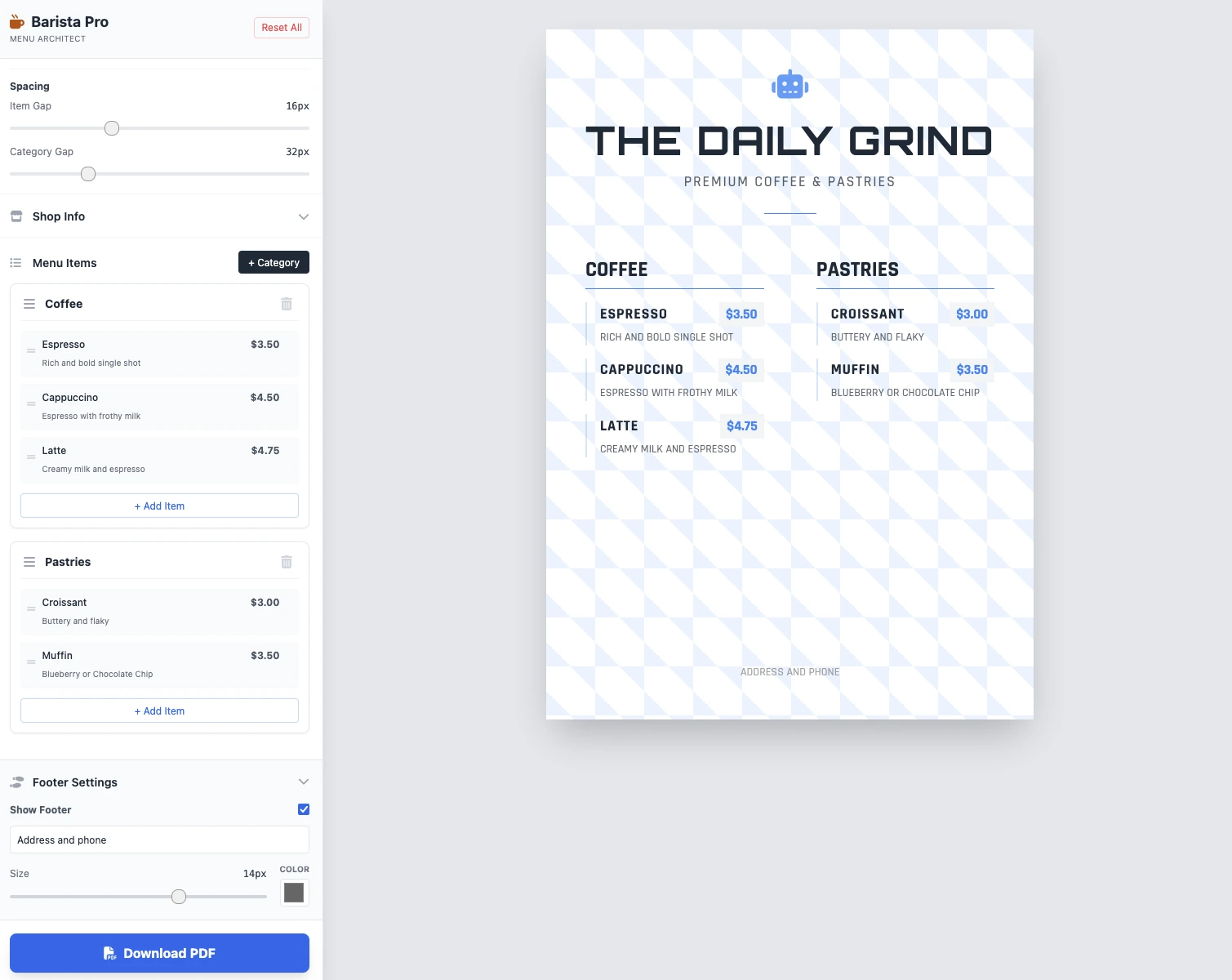
大小是可修改的,一切都有效,PDF 保存也有效。2 个提示的结果干净、功能强大,令人印象深刻!
关键要点
目前还没有评论。快来抢沙发吧!




登录 以参与讨论。