Gemini 3 نسلی جدید از هوش مصنوعی را نشان میدهد که میتواند درخواستهای پیچیده را درک کند و در چند ثانیه کدی آماده تولید ایجاد کند. برای آزمایش تواناییهای واقعی آن، تصمیم گرفتم بدون نوشتن یک خط کد یک ابزار عملی و جهانی ایجاد کنم: طراح منوی کافه قابل شخصیسازی، قابل صادرات به PDF، و مناسب برای یک فایل HTML. نتیجه؟ تأثیرگذار.
آزمایش Gemini 3: ایجاد یک منوی کافه با هوش مصنوعی
Google نسخه جدیدی از Gemini را منتشر کرد: نسخه 3. این تکرار جدید تواناییهای استدلال و تولید کد جدید را وعده میدهد. بیایید این را با یک آزمایش ساده ببینیم.
مرحله اول: شروع کنید
به Gemini بروید و "استدلال" را در موجه دستور انتخاب کنید.
برای این آزمایش، تصمیم گرفتم ابزاری ایجاد کنم برای ایجاد سریع و آسان یک منوی کافه/حانه قابل صادرات به PDF.
سوال اولیه
این سوال استفاده شده است:
Create a single-file HTML tool for designing a coffee shop/bar menu.
FEATURES REQUIRED:
Design Themes (user selectable):
- Modern (minimalist, clean lines)
- Nature (earthy, organic feel)
- Futuristic (sleek, bold)
- Zen (calm, balanced, minimal)
Customization:
- Editable menu items with names and prices
- Add/remove menu categories (Coffee, Tea, Food, Desserts, etc.)
- Text color selection from a palette
- Theme color customization (primary accent color)
- Option to add item descriptions
Export:
- PDF export in standard sizes: A4, A3, A5, Letter, Half Letter
- Print-optimized layout
- Maintain theme and colors in PDF
Visual Elements:
- Include an illustration/icon for each theme
- Display theme preview on the left panel
- Live preview of menu as user edits
Technical:
- Single HTML file (no dependencies, or use CDN links)
- Use TailwindCSS via CDN
- Include html2pdf library for PDF export
- Fully responsive design
- Save/load functionality (LocalStorage for user data)
STRUCTURE:
- Left panel: Controls (theme, colors, export options)
- Right panel: Live menu preview
- Simple, intuitive UI
Make it production-ready, professional, and easy for non-developers to use.
پاسخ Gemini 3
پس از چند دقیقه تفکر، Gemini پاسخ میدهد:
Here is a complete, single-file HTML solution. It uses TailwindCSS for styling, FontAwesome for icons, and html2pdf.js for generating the PDF. It requires no installation—just save the code below as an .html file (e.g., menu-maker.html) and open it in your browser.
به دنبال آن کد میآید. کد را میگیرم و آن را در یک فایل HTML کپی میکنم که در مرورگرم میبازم.
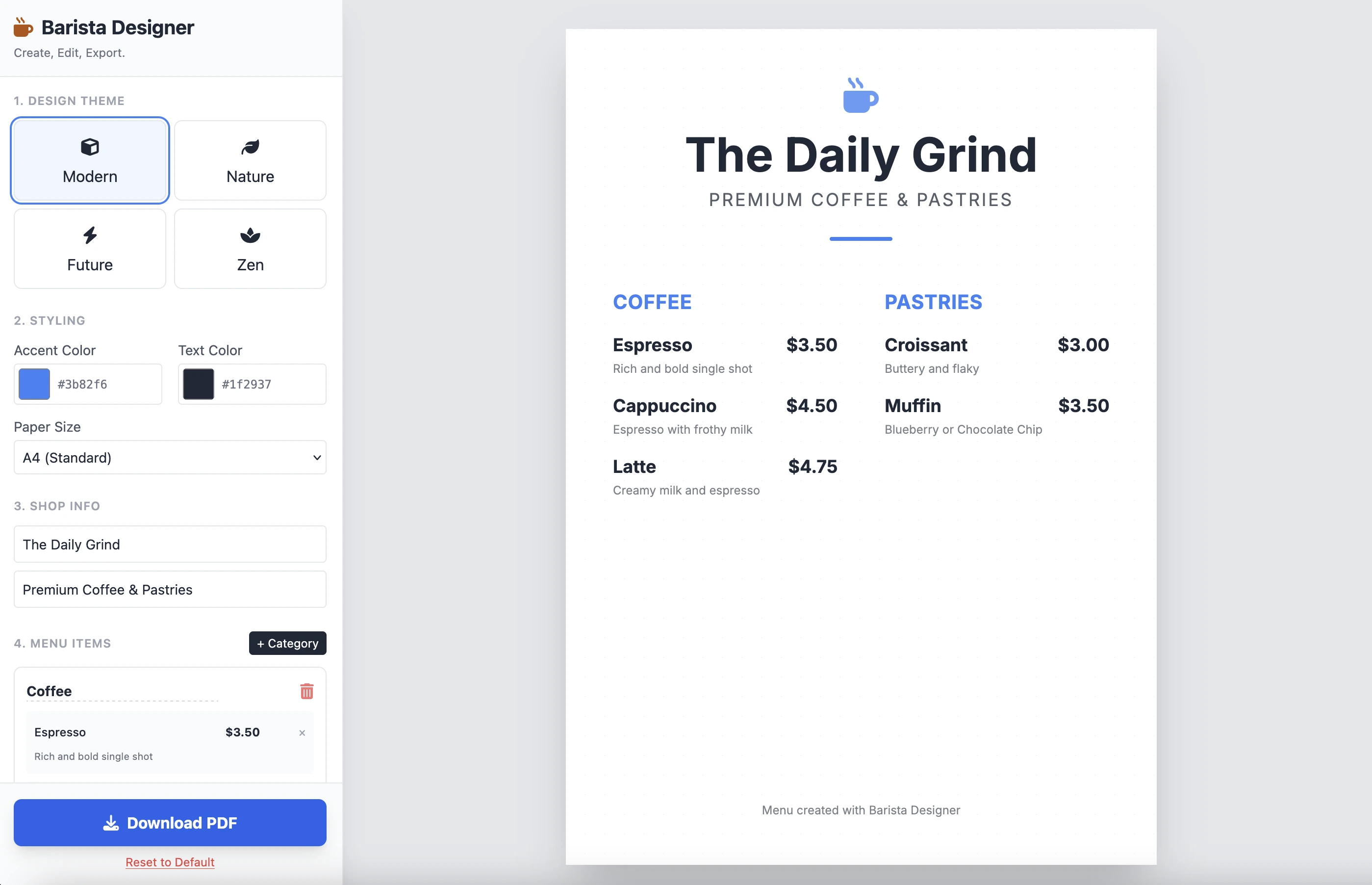
و این نتیجه است:
این تمیز و عملکردیاست. نتیجه یک سوال واحد تأثیرگذار است. کد را اینجا نمیگذارم زیرا کاملا طولانی است. شما را دعوت میکنم که خود آن را آزمایش کنید.
بهبودها
چند بهبود عملی وجود دارد:
- اندازه عناصر را قابل تعدیل کردن
- متن در پایین منو را قابل تعدیل کردن
بیایید جلوتر برویم و این را با سوال دوم تکمیل کنیم:
Add the following features to the coffee menu designer:
DRAG & DROP:
- Drag categories to reorder them
- Drag menu items within categories to reorder them
- Visual feedback during drag (highlight, shadow, cursor)
- Smooth animations
SIZE CUSTOMIZATION:
- Adjustable font size for:
- Category titles (slider: 16px - 32px)
- Menu item names (slider: 12px - 24px)
- Menu item prices (slider: 10px - 20px)
- Menu item descriptions (slider: 10px - 16px)
- Show current size value next to each slider
- Live preview as user adjusts
SPACING CUSTOMIZATION (bonus):
- Gap between menu items (slider: 8px - 24px)
- Gap between categories (slider: 16px - 32px)
FOOTER TEXT CUSTOMIZATION:
- Editable footer text (currently "Menu created with Barista Designer")
- Text input field to modify footer content
- Option to toggle footer visibility (show/hide checkbox)
- Footer font size slider (8px - 16px)
- Footer text color selection from palette
UX IMPROVEMENTS:
- Add "Reset sizes to default" button
- Add icons for drag handles (≡ icon)
- Group font size controls in a dedicated panel
- Disable text selection during dragging
- Add delete buttons for categories and items
PERSISTENCE:
- Save all size settings and footer text to LocalStorage
- Load them when user reopens the tool
Keep the single-file HTML structure and maintain all existing features (themes, colors, PDF export).
پاسخ بهبود یافته
پس از چند دقیقه استدلال، این پاسخ Gemini است:
Here is the updated, single-file solution.
I have added SortableJS (via CDN) to handle robust drag-and-drop functionality, implemented CSS Variables for high-performance live font resizing, and added the requested Footer and Spacing controls.
به دنبال آن کد میآید. کد را کپی و در یک فایل HTML جدید جایگذاری میکنم و آن را در مرورگر میبازم.
در زیر نتیجه است:
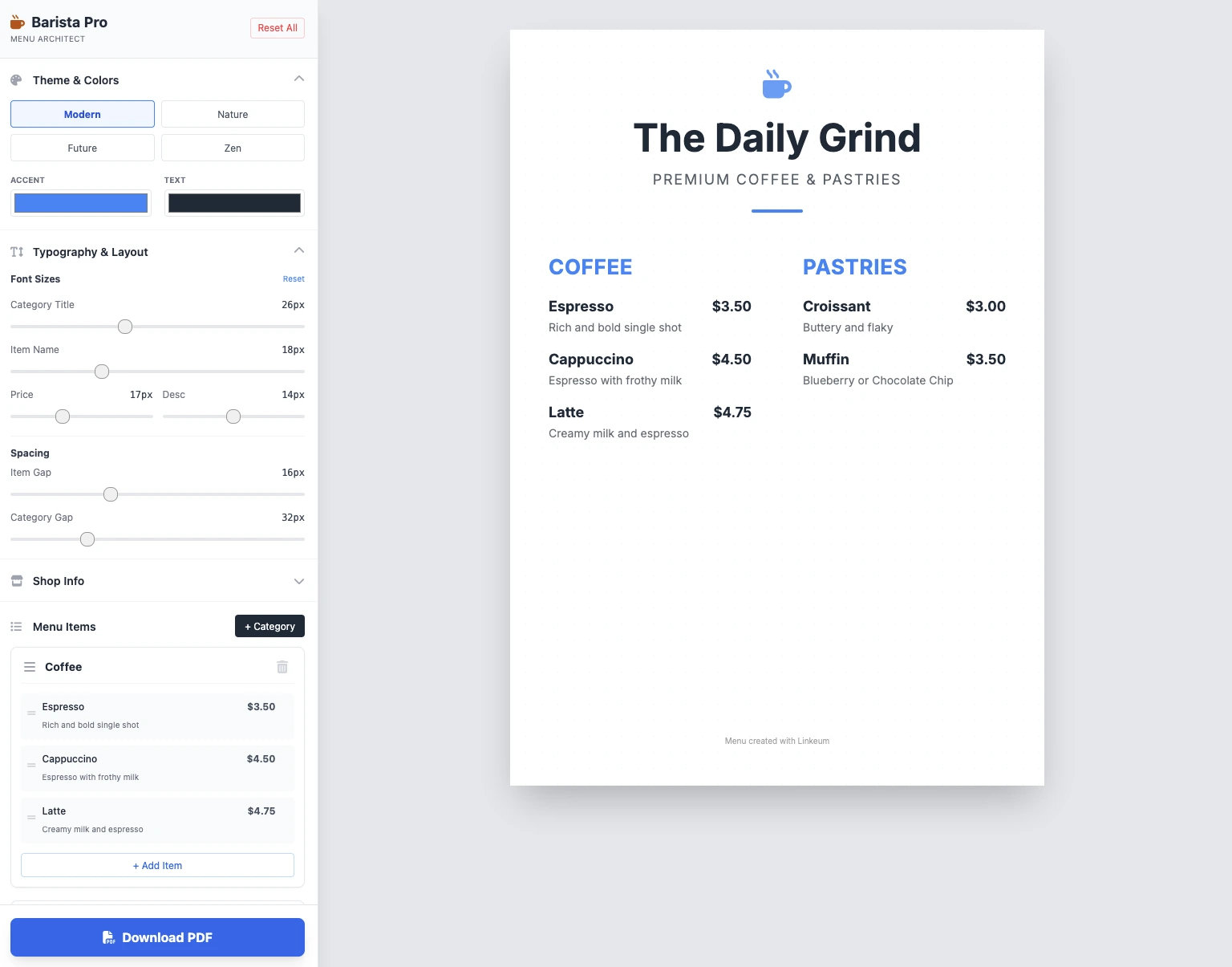
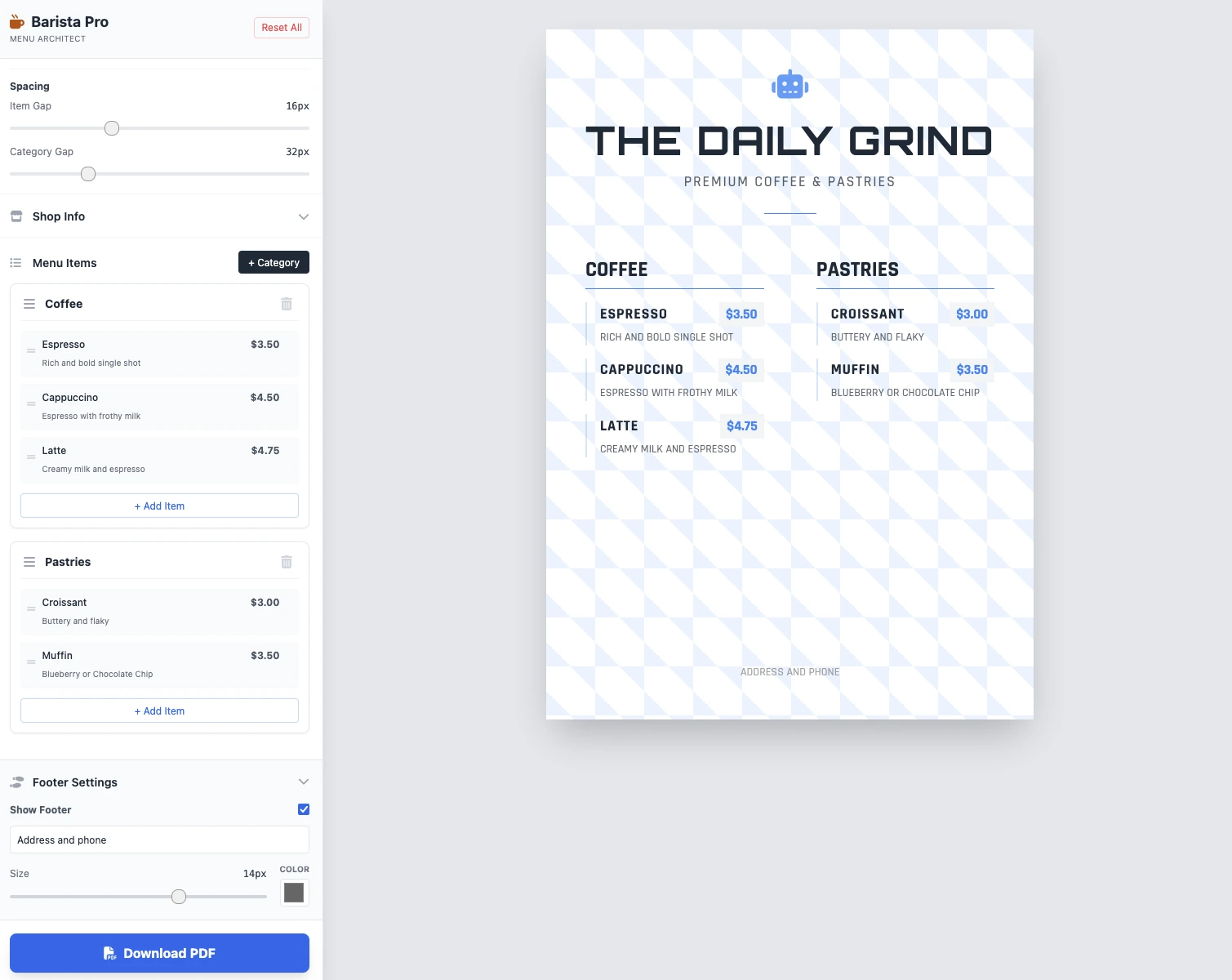
اندازهها قابل تعدیل هستند، همه چیز کار میکند و ذخیره PDF کار میکند. نتیجه در 2 سوال تمیز، عملکردی و تأثیرگذار است!
نکات کلیدی
هنوز نظری وجود ندارد. شما اولین نفر باشید!




وارد شوید تا در بحث شرکت کنید.