在第 11 期的 Prompt Tuesday 中,我们要求 AI 生成一个令人惊叹的 HTML/JavaScript 可视化效果:一个旋转的 3D 地球仪,世界上主要证券交易所根据其开市状态在上面亮起。
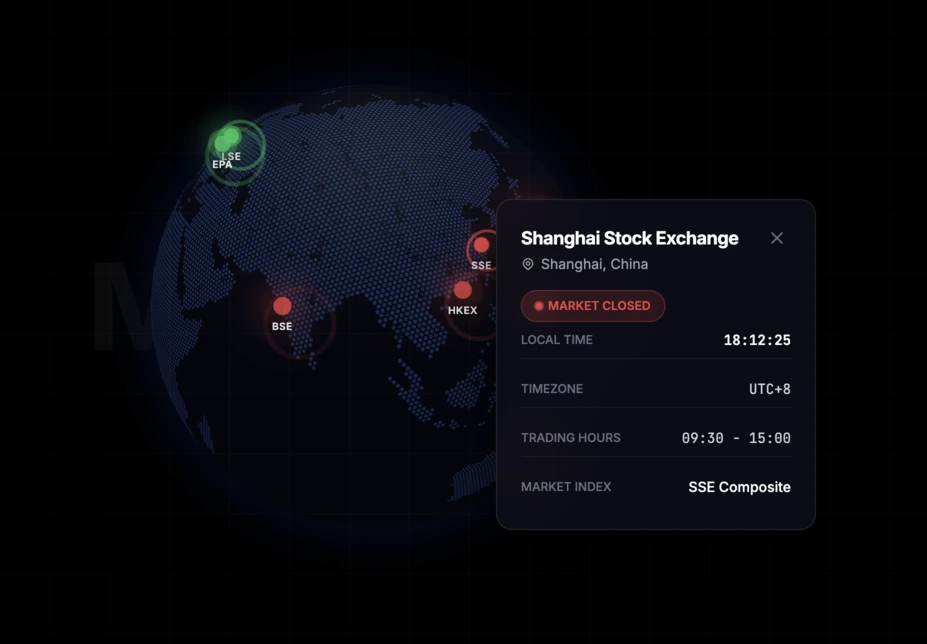
在 Linkeum 的开发间隙,有时会出现一些想法,让人立刻想测试一下 AI 到底能走多远。对于第 11 期的 Prompt Tuesday,我们的目标很宏大:让 Qwen 生成一个 HTML/JavaScript 页面,能够显示一个旋转的 3D 地球仪,世界上最大的证券交易所由发光的点表示,这些点的状态会根据市场是开市还是闭市而改变。
这个想法在纸面上很简单,但在执行时视觉冲击力极强。每个金融中心在开市时都应该显示为闪烁的绿点,闭市时显示为红点,并且可以点击它以显示包含其主要信息的小窗口。
在 Qwen 中使用的 Prompt
对于此类代码生成,通常使用英语编写提示词。代码生成模型通常能更好地理解该语言的详细技术说明,尤其是在结合 HTML 结构、JavaScript 逻辑、视觉渲染和用户交互时。
Act as an expert Front-End Developer and Data Visualization specialist. Write a modern, responsive single-page HTML file that renders an interactive 3D globe using the
globe.gllibrary (andthree.js) via CDN, along with Tailwind CSS for styling.Here are the exact requirements:
- The Globe: Render a beautiful, dark-themed, highly detailed 3D globe. It should auto-rotate slowly.
- The Data: Plot the top 10 major world stock exchanges (e.g., NYSE, LSE, Tokyo, Shanghai, Euronext Paris, etc.) using their real latitude and longitude.
- Market Status Logic: Write JavaScript logic that uses the current UTC time to determine if each market is currently OPEN or CLOSED based on their real-world trading hours.
- Visual Markers: Represent each exchange on the globe as a glowing, pulsating point. Make the point Green and pulsating if the market is OPEN, and Red and pulsating if the market is CLOSED.
- Interactivity: When the user clicks on a point:
- Stop the globe's auto-rotation.
- Open a sleek, dark-themed HTML pop-up/tooltip floating above the globe displaying the Exchange Name, City, Local Time, and Status (Open/Closed in green/red text).
- Clicking elsewhere on the globe should close the pop-up and resume rotation.
- UI/Aesthetics: Give the page a premium, high-end fintech aesthetic (dark mode, glassmorphism for the pop-up, sleek typography).
Output the complete, fully functional HTML, CSS, and JS code in a single file so I can copy-paste it into an
index.htmlfile and run it immediately in my browser.
为什么这个 Prompt 很有趣
我喜欢这个提示词的原因是它不只是要求“一个 3D 地球仪”。它同时强加了视觉渲染、业务逻辑、地理数据和交互行为,这真正迫使 AI 制作出一个接近迷你产品的东西,而不仅仅是一个简单的代码示例。
换句话说,我们不仅在测试 Qwen 编写 JavaScript 的能力。我们还在测试它理解以金融为导向的设计意图的能力,其生成的界面已经让人联想到高级仪表板。
使用 Gemini 进行的微调
使用 Qwen 获得的第一个结果已经非常有希望。我们可以看到发光点、动画、点击交互,我们立刻感觉到离惊人的渲染效果非常近了。
但是,必须进行一些调整来稳定显示并改善视觉效果。因此,在 Gemini 的帮助下,我们调整了一些技术和展示细节,特别是在地球仪的渲染、初始取景、大陆的清晰度以及加载时的相机行为方面。
令人震撼的结果
最终的结果坦白说令人震撼。我们获得了一个优雅、生动、互动的 3D 地球仪,带有发光点,立刻给人一种全球交易大厅的感觉。
这正是那种在最初几秒钟内就能吸引眼球的体验。最重要的是,它不仅仅是一个视觉小玩意:在这个动画的背后,人们已经可以想象一个真实的商品用例,用于直观地跟踪主要金融市场。
接下来呢?
这可能是 Prompt Tuesday #11 中最有趣的部分。这个渲染效果非常有说服力,让我想要超越一篇简单的博客文章。
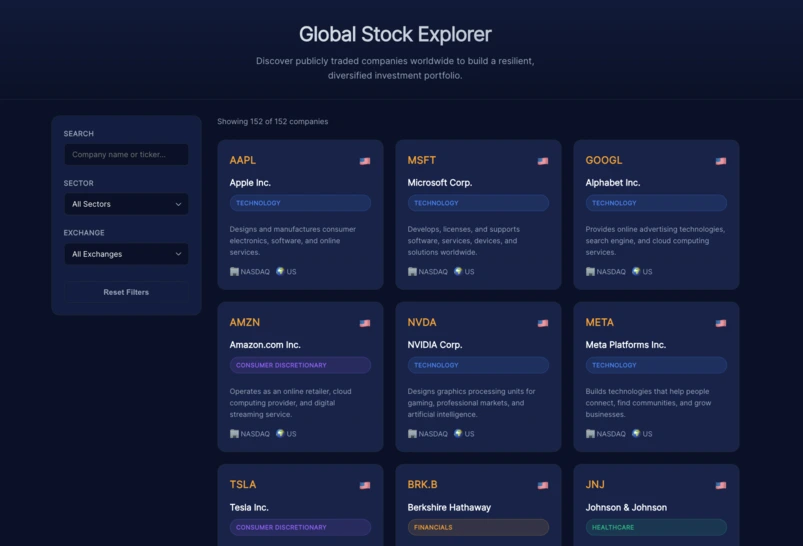
我稍后会尝试将这个想法整合到 Linkeum 的“金融”部分。凭借真实的数据层和一些额外的改进,这个交互式地球仪可能成为为用户带来“惊艳效果”的绝佳元素。
关键要点
目前还没有评论。快来抢沙发吧!
登录 以参与讨论。