Gemini 3 represents a new generation of AI capable of understanding complex requests and generating production-ready code in seconds. To test its true capabilities, I decided to create a practical and universal tool without writing a single line of code: a customizable coffee menu designer, exportable to PDF, and fitting in a single HTML file. The result? Impressive.
Testing Gemini 3: Create a Coffee Menu with AI
Google has released a new version of Gemini: version 3. This new iteration promises new reasoning capabilities and code generation. Let's see this with a simple test.
First step: get started
Go to Gemini and select "reasoning" in the command prompt.
For this test, I decided to create a tool to quickly and easily create a PDF-exportable coffee/bar menu.
The initial prompt
Here is the prompt used:
Create a single-file HTML tool for designing a coffee shop/bar menu.
FEATURES REQUIRED:
Design Themes (user selectable):
- Modern (minimalist, clean lines)
- Nature (earthy, organic feel)
- Futuristic (sleek, bold)
- Zen (calm, balanced, minimal)
Customization:
- Editable menu items with names and prices
- Add/remove menu categories (Coffee, Tea, Food, Desserts, etc.)
- Text color selection from a palette
- Theme color customization (primary accent color)
- Option to add item descriptions
Export:
- PDF export in standard sizes: A4, A3, A5, Letter, Half Letter
- Print-optimized layout
- Maintain theme and colors in PDF
Visual Elements:
- Include an illustration/icon for each theme
- Display theme preview on the left panel
- Live preview of menu as user edits
Technical:
- Single HTML file (no dependencies, or use CDN links)
- Use TailwindCSS via CDN
- Include html2pdf library for PDF export
- Fully responsive design
- Save/load functionality (LocalStorage for user data)
STRUCTURE:
- Left panel: Controls (theme, colors, export options)
- Right panel: Live menu preview
- Simple, intuitive UI
Make it production-ready, professional, and easy for non-developers to use.
Gemini 3's response
After a few minutes of thinking, Gemini responds:
Here is a complete, single-file HTML solution. It uses TailwindCSS for styling, FontAwesome for icons, and html2pdf.js for generating the PDF. It requires no installation—just save the code below as an .html file (e.g., menu-maker.html) and open it in your browser.
Followed by the code. I take the code and copy it into an HTML file that I open in my browser.
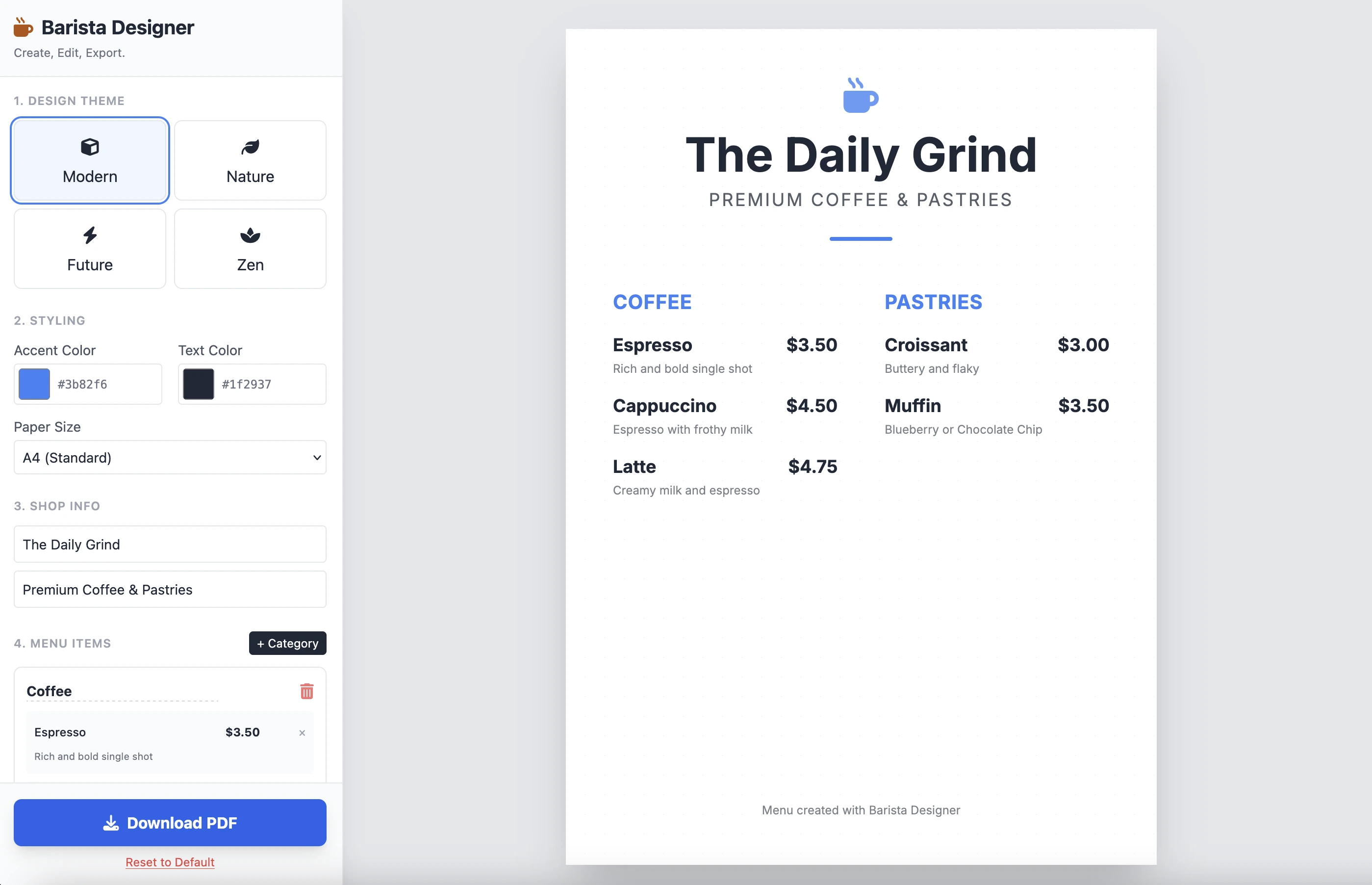
And here's the result:
It's clean and functional. The result for a single prompt is impressive. I won't put the code here as it's quite long. I invite you to test it yourself.
The improvements
There are some practical improvements to make:
- Make the size of elements modifiable
- Make the text at the bottom of the menu modifiable
Let's push it further and complete it with this second prompt:
Add the following features to the coffee menu designer:
DRAG & DROP:
- Drag categories to reorder them
- Drag menu items within categories to reorder them
- Visual feedback during drag (highlight, shadow, cursor)
- Smooth animations
SIZE CUSTOMIZATION:
- Adjustable font size for:
- Category titles (slider: 16px - 32px)
- Menu item names (slider: 12px - 24px)
- Menu item prices (slider: 10px - 20px)
- Menu item descriptions (slider: 10px - 16px)
- Show current size value next to each slider
- Live preview as user adjusts
SPACING CUSTOMIZATION (bonus):
- Gap between menu items (slider: 8px - 24px)
- Gap between categories (slider: 16px - 32px)
FOOTER TEXT CUSTOMIZATION:
- Editable footer text (currently "Menu created with Barista Designer")
- Text input field to modify footer content
- Option to toggle footer visibility (show/hide checkbox)
- Footer font size slider (8px - 16px)
- Footer text color selection from palette
UX IMPROVEMENTS:
- Add "Reset sizes to default" button
- Add icons for drag handles (≡ icon)
- Group font size controls in a dedicated panel
- Disable text selection during dragging
- Add delete buttons for categories and items
PERSISTENCE:
- Save all size settings and footer text to LocalStorage
- Load them when user reopens the tool
Keep the single-file HTML structure and maintain all existing features (themes, colors, PDF export).
The enhanced response
After a few minutes of reasoning, here's Gemini's response:
Here is the updated, single-file solution.
I have added SortableJS (via CDN) to handle robust drag-and-drop functionality, implemented CSS Variables for high-performance live font resizing, and added the requested Footer and Spacing controls.
Followed by the code. I copy and paste the code into a new HTML file and open it in my browser.
Below is the result:
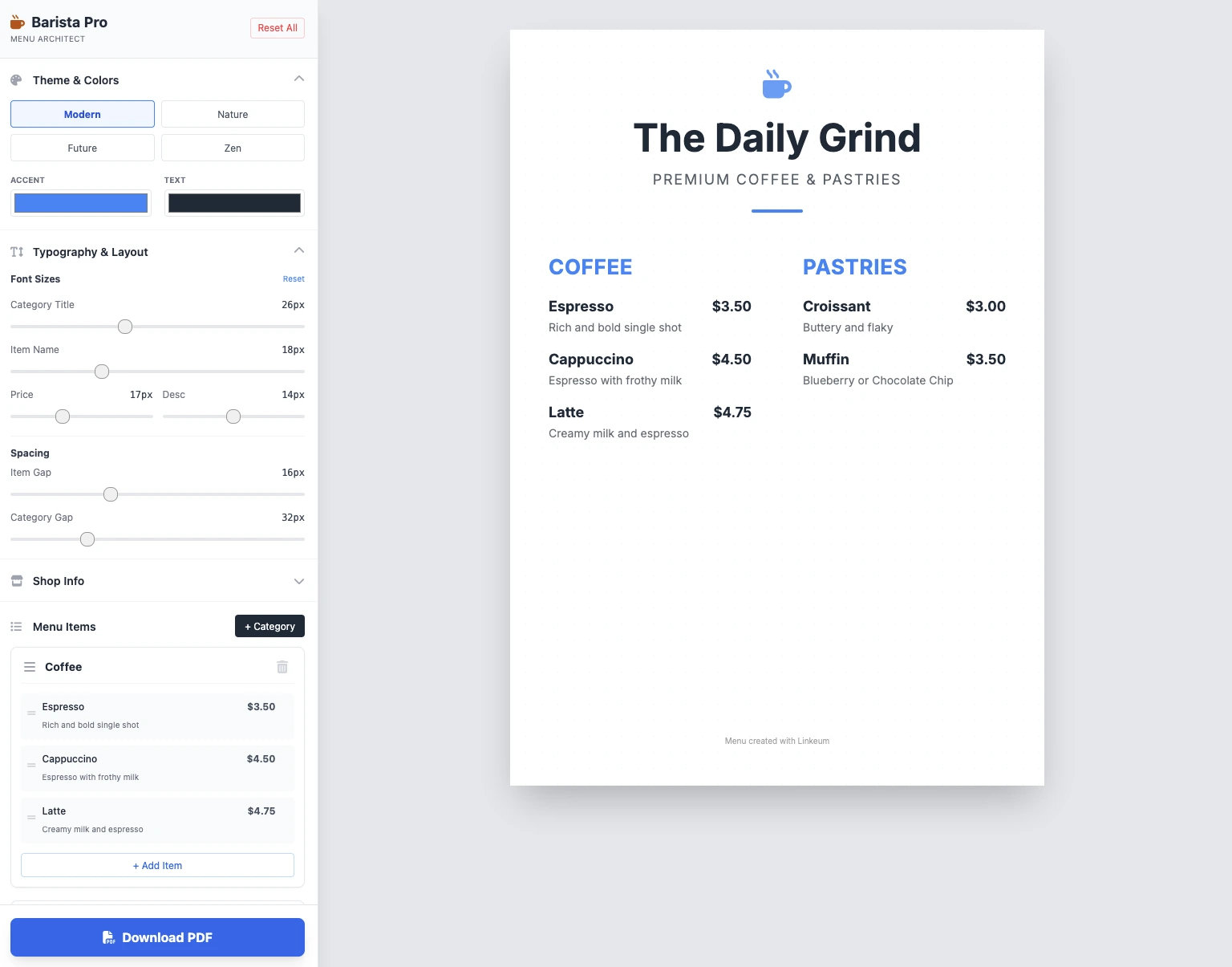
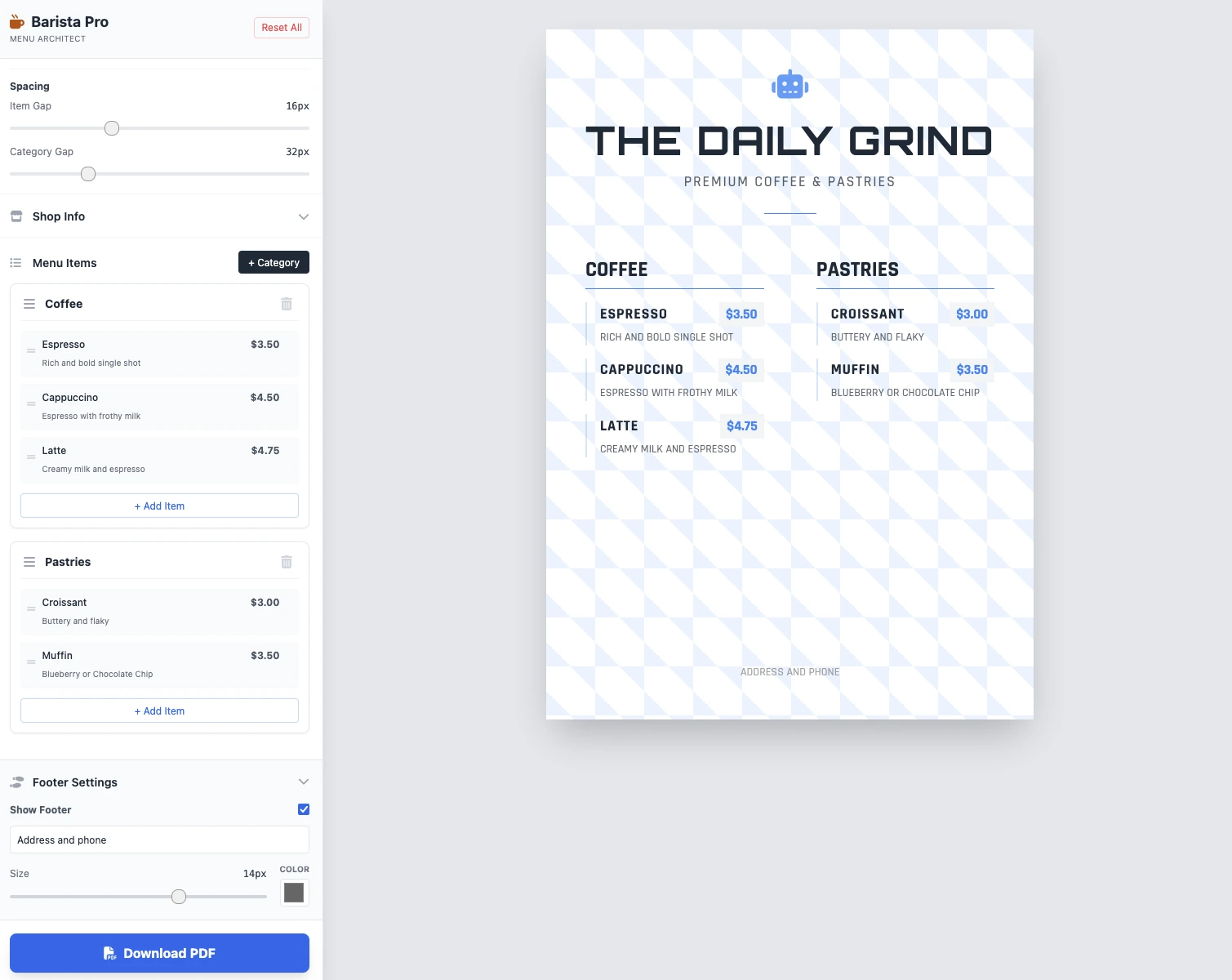
The sizes are modifiable, everything works, and PDF saving works. The result in 2 prompts is clean and functional, impressive!
Key Takeaways
No comments yet. Be the first to react!




Log in to join the discussion.