Gemini 3 แสดงถึงรุ่นใหม่ของ AI ที่สามารถเข้าใจคำขอที่ซับซ้อนและสร้างโค้ดที่พร้อมสำหรับการผลิตในเพียงไม่กี่วินาที เพื่อทดสอบความสามารถที่แท้จริง ฉันตัดสินใจสร้างเครื่องมือที่ใช้งานได้จริงและเป็นสากลโดยไม่ต้องเขียนโค้ดเลย: ตัวออกแบบเมนูร้านกาแฟที่ปรับแต่งได้ สามารถส่งออกเป็น PDF และพอดีกับไฟล์ HTML ไฟล์เดียว ผลลัพธ์? น่าประทับใจ
ทดสอบ Gemini 3: สร้างเมนูร้านกาแฟด้วย AI
Google ได้เปิดตัวเวอร์ชันใหม่ของ Gemini: เวอร์ชัน 3 ก่อการวนซ้ำนี้สัญญาว่าจะมีความสามารถในการให้เหตุผลและการสร้างโค้ดใหม่ ดูสิ่งนี้ด้วยการทดสอบง่ายๆ
ขั้นตอนแรก: เริ่มต้น
ไปที่ Gemini และเลือก "การให้เหตุผล" ในพรอมต์คำสั่ง
สำหรับการทดสอบนี้ ฉันตัดสินใจที่จะสร้าง เครื่องมือสำหรับสร้างเมนูร้านกาแฟ/บาร์ที่ส่งออกเป็น PDF ได้อย่างรวดเร็วและง่ายดาย
พรอมต์เริ่มต้น
นี่คือพรอมต์ที่ใช้:
Create a single-file HTML tool for designing a coffee shop/bar menu.
FEATURES REQUIRED:
Design Themes (user selectable):
- Modern (minimalist, clean lines)
- Nature (earthy, organic feel)
- Futuristic (sleek, bold)
- Zen (calm, balanced, minimal)
Customization:
- Editable menu items with names and prices
- Add/remove menu categories (Coffee, Tea, Food, Desserts, etc.)
- Text color selection from a palette
- Theme color customization (primary accent color)
- Option to add item descriptions
Export:
- PDF export in standard sizes: A4, A3, A5, Letter, Half Letter
- Print-optimized layout
- Maintain theme and colors in PDF
Visual Elements:
- Include an illustration/icon for each theme
- Display theme preview on the left panel
- Live preview of menu as user edits
Technical:
- Single HTML file (no dependencies, or use CDN links)
- Use TailwindCSS via CDN
- Include html2pdf library for PDF export
- Fully responsive design
- Save/load functionality (LocalStorage for user data)
STRUCTURE:
- Left panel: Controls (theme, colors, export options)
- Right panel: Live menu preview
- Simple, intuitive UI
Make it production-ready, professional, and easy for non-developers to use.
การตอบสนองของ Gemini 3
หลังจากคิดสักครู่ Gemini ตอบ:
Here is a complete, single-file HTML solution. It uses TailwindCSS for styling, FontAwesome for icons, and html2pdf.js for generating the PDF. It requires no installation—just save the code below as an .html file (e.g., menu-maker.html) and open it in your browser.
ตามด้วยรหัส ฉันใช้โค้ดและคัดลอกไปยังไฟล์ HTML ที่ฉันเปิดในเบราว์เซอร์
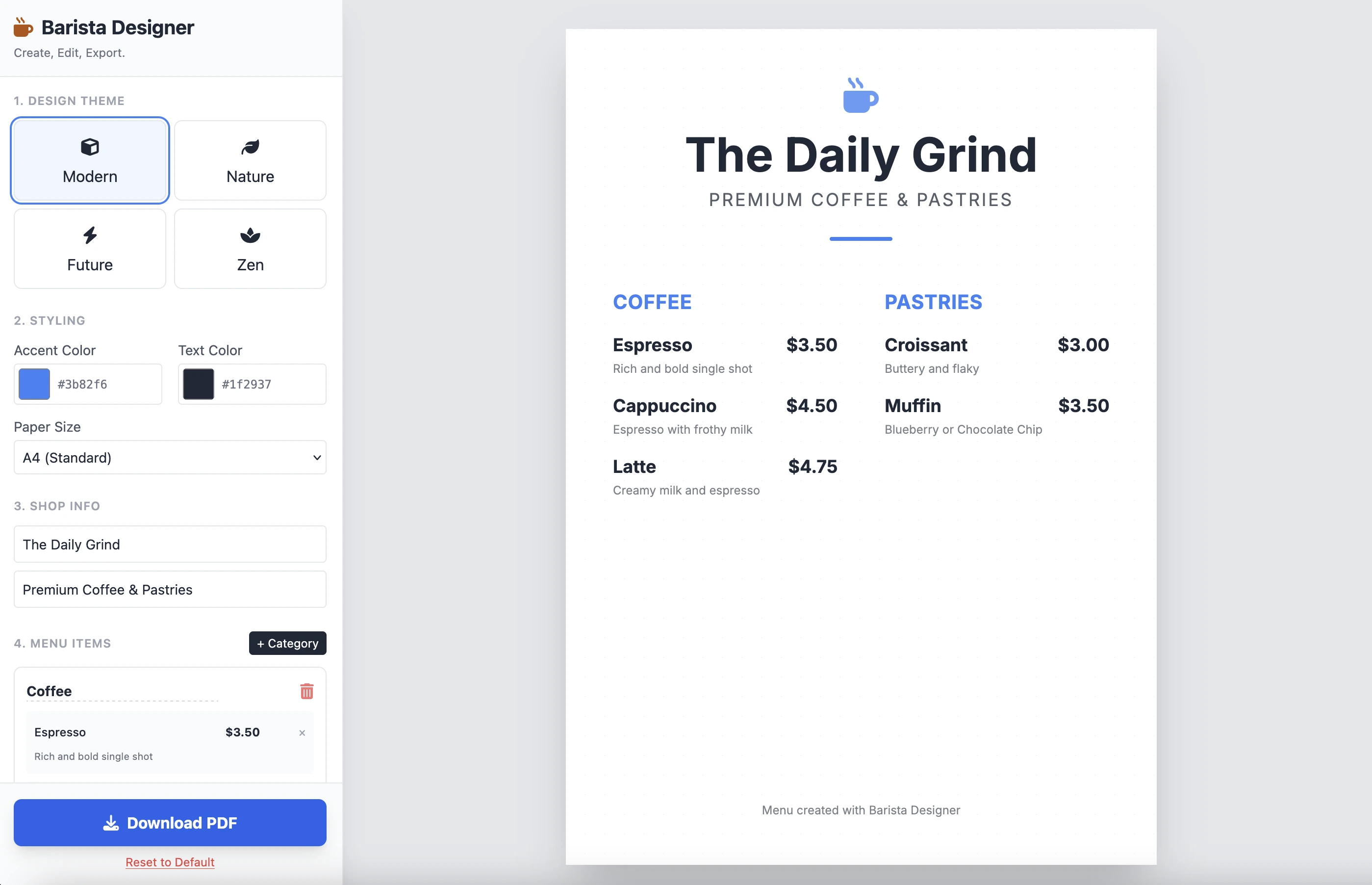
และนี่คือผลลัพธ์:
มันเป็น สะอาดและใช้งานได้ ผลลัพธ์จากพรอมต์เดียวนั้นน่าประทับใจ ฉันไม่ได้วางโค้ดที่นี่เพราะมีความยาวค่อนข้างมาก ฉันเชิญให้คุณทดสอบด้วยตัวเอง
การปรับปรุง
มีการปรับปรุงที่ใช้ได้จริงบางอย่างที่ต้องทำ:
- ทำให้ขนาดขององค์ประกอบสามารถแก้ไขได้
- ทำให้ข้อความที่ด้านล่างของเมนูสามารถแก้ไขได้
เรามาดำเนินการต่อและเสร็จสิ้นด้วยพรอมต์ที่สองนี้:
Add the following features to the coffee menu designer:
DRAG & DROP:
- Drag categories to reorder them
- Drag menu items within categories to reorder them
- Visual feedback during drag (highlight, shadow, cursor)
- Smooth animations
SIZE CUSTOMIZATION:
- Adjustable font size for:
- Category titles (slider: 16px - 32px)
- Menu item names (slider: 12px - 24px)
- Menu item prices (slider: 10px - 20px)
- Menu item descriptions (slider: 10px - 16px)
- Show current size value next to each slider
- Live preview as user adjusts
SPACING CUSTOMIZATION (bonus):
- Gap between menu items (slider: 8px - 24px)
- Gap between categories (slider: 16px - 32px)
FOOTER TEXT CUSTOMIZATION:
- Editable footer text (currently "Menu created with Barista Designer")
- Text input field to modify footer content
- Option to toggle footer visibility (show/hide checkbox)
- Footer font size slider (8px - 16px)
- Footer text color selection from palette
UX IMPROVEMENTS:
- Add "Reset sizes to default" button
- Add icons for drag handles (≡ icon)
- Group font size controls in a dedicated panel
- Disable text selection during dragging
- Add delete buttons for categories and items
PERSISTENCE:
- Save all size settings and footer text to LocalStorage
- Load them when user reopens the tool
Keep the single-file HTML structure and maintain all existing features (themes, colors, PDF export).
การตอบสนองที่ปรับปรุง
หลังจากคิดไปสักครู่ นี่คือการตอบสนองของ Gemini:
Here is the updated, single-file solution.
I have added SortableJS (via CDN) to handle robust drag-and-drop functionality, implemented CSS Variables for high-performance live font resizing, and added the requested Footer and Spacing controls.
ตามด้วยรหัส ฉันคัดลอกและวางโค้ดลงในไฟล์ HTML ใหม่และเปิดในเบราว์เซอร์
ต่อไปนี้คือผลลัพธ์:
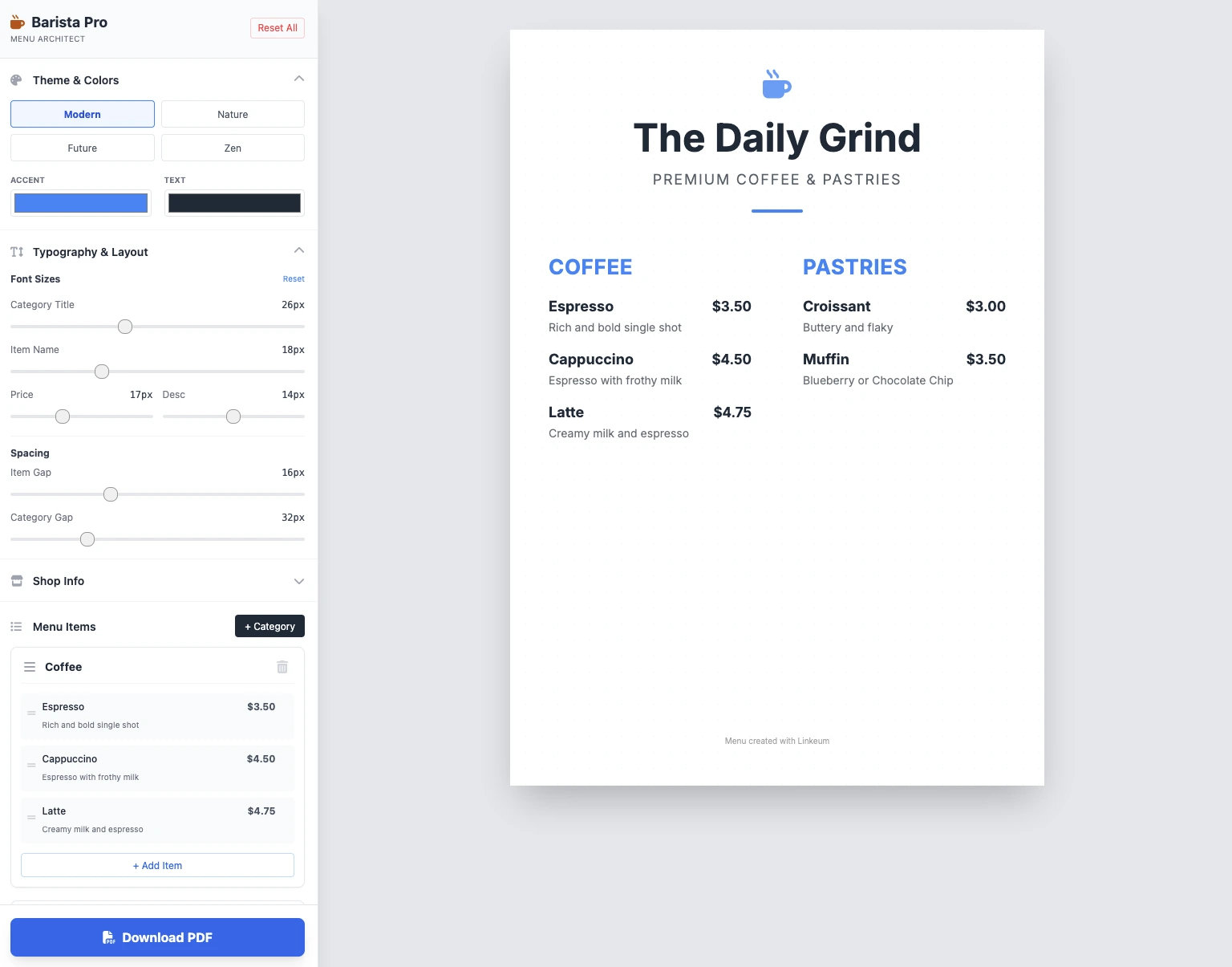
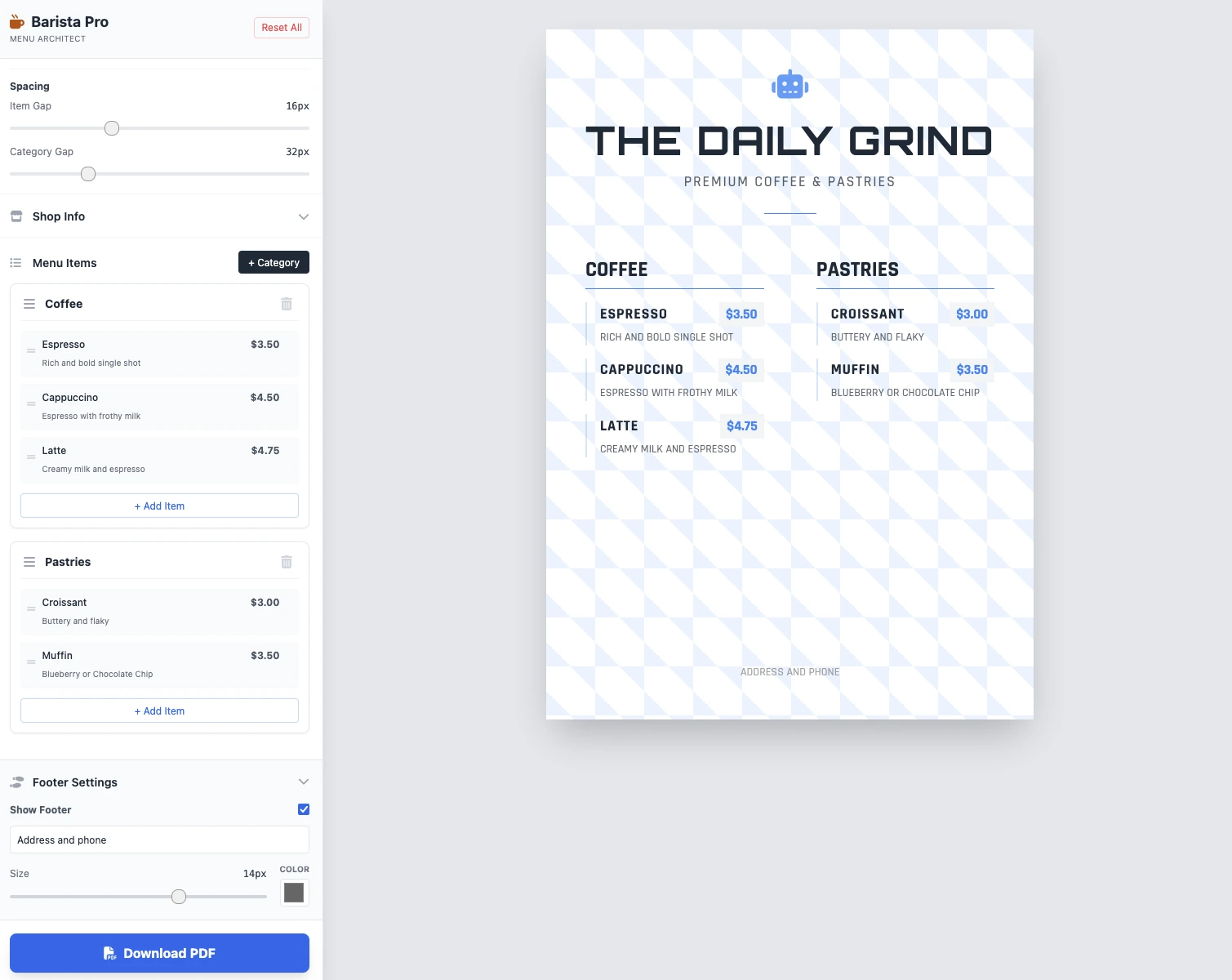
ขนาดสามารถแก้ไขได้ ทุกอย่างใช้งานได้ และการบันทึก PDF ใช้งานได้ ผลลัพธ์ใน 2 พรอมต์สะอาด ใช้งานได้ และน่าประทับใจ!
ประเด็นสำคัญ
ยังไม่มีความคิดเห็น เป็นคนแรกที่แสดงความคิดเห็นสิ!




เข้าสู่ระบบ เพื่อเข้าร่วมการสนทนา